macOS California Camino
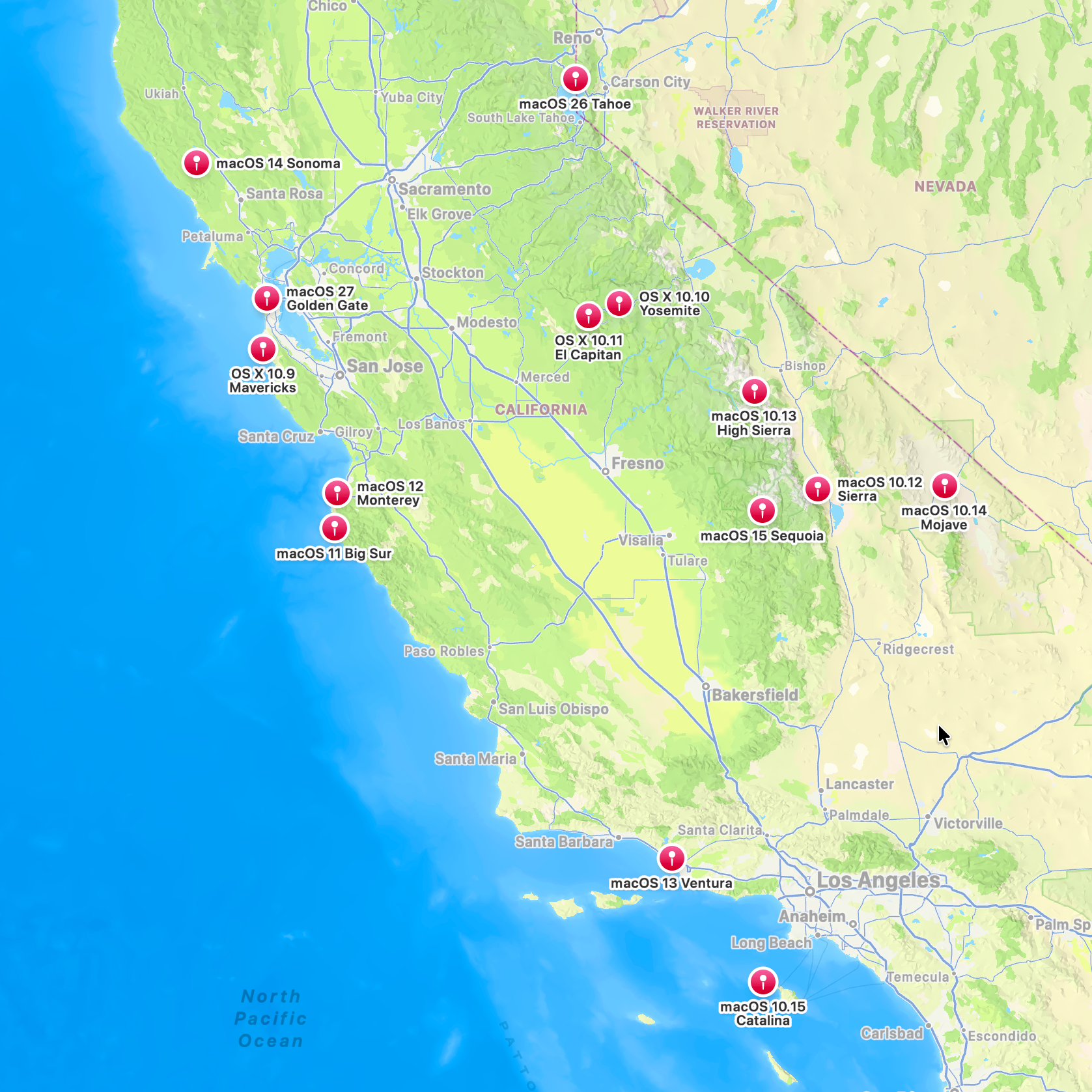
Let’s take a 3,000-mile zigzag tour across California, tracing the past decade and a half of macOS releases.
macOS, the operating system formerly known as OS X (2012–2016), Mac OS X (2001–2012), and Mac OS (1994–2001), has spent nearly a decade and a half drawing inspiration from locations scattered across the state of California.
Before that, Apple famously named its operating system releases after big cats: Cheetah (2001), Puma (2001), Jaguar (2002), Panther (2003), Tiger (2005), Leopard (2007), Snow Leopard (2009), Lion (2011), and finally Mountain Lion (2012).
Apple’s transition to California-inspired names coincided with the company’s now-familiar annual release cadence. Since the debut of OS X 10.9 Mavericks in 2013, Apple has released 14 versions of macOS bearing the names of beaches, mountain ranges, islands, valleys, and landmarks from across the Golden State.
But what exactly is a Mavericks? Where is Sonoma? And how many Mac users could point to where Ventura or Tahoe on a map?
Curious myself, I decided to trace the history and real-world locations behind every California-inspired macOS release and the wallpapers used to market the them to the world. Enjoy.
Lets first start with how, nearly a decade & a half ago (2013), Craig Federighi introduced the transition to the world:
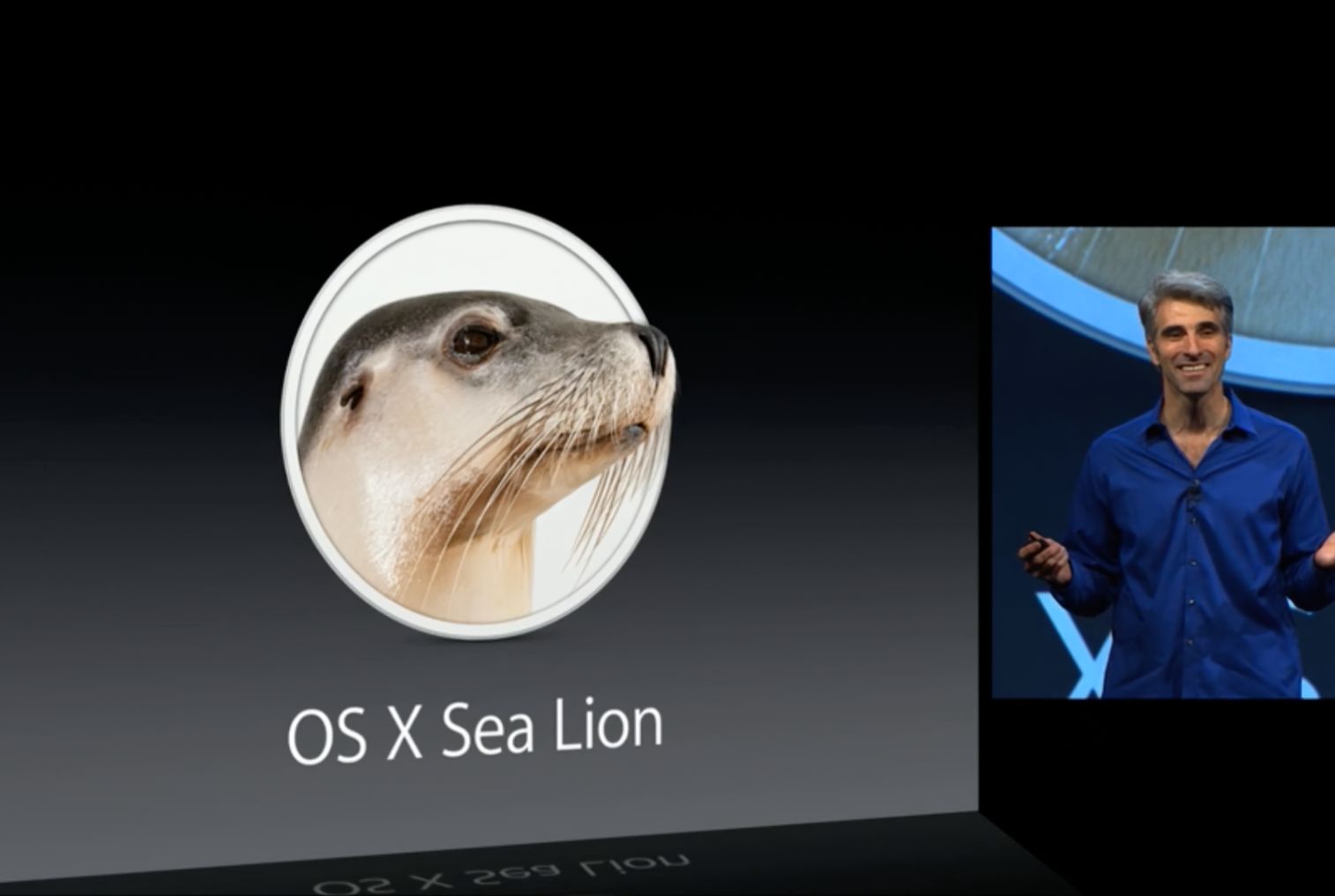
Craig Federighi teasing OS X Sea Lion at WWDC 2013
“Good morning, let’s talk about OS X. Our latest release, Mountain Lion, is the ninth of our big cat-named releases in just over a decade. As we turn our attention now toward the 10th, we’ve hit a real issue. We do not want to be the first software in history to be delayed due to a dwindling supply of cats.
Now, fortunately, we do have a creative group at Apple and we can think out of the box. And so, we thought, may be we could take this lion thing in a different direction. So, I’m proud to present to you today OS X Sea Lion. What do you think?
OK, maybe not. That could be a bit of a dead-end, so. In fact, we’re really excited about the future of the Mac and we want a set of names that are going to carry us for at least the next 10 years. And, you know, the answer really was really obviously to us. It’s those places that inspire us here in California, in the place where OS X is designed and built.
So for our first California-themed release, it went just outside our backyard, just off the coast, to a place with some of the biggest waves and most extreme surfing in all of North America, OS X Mavericks.”
Mavericks (OS X 10.9)
Released: October 22, 2013
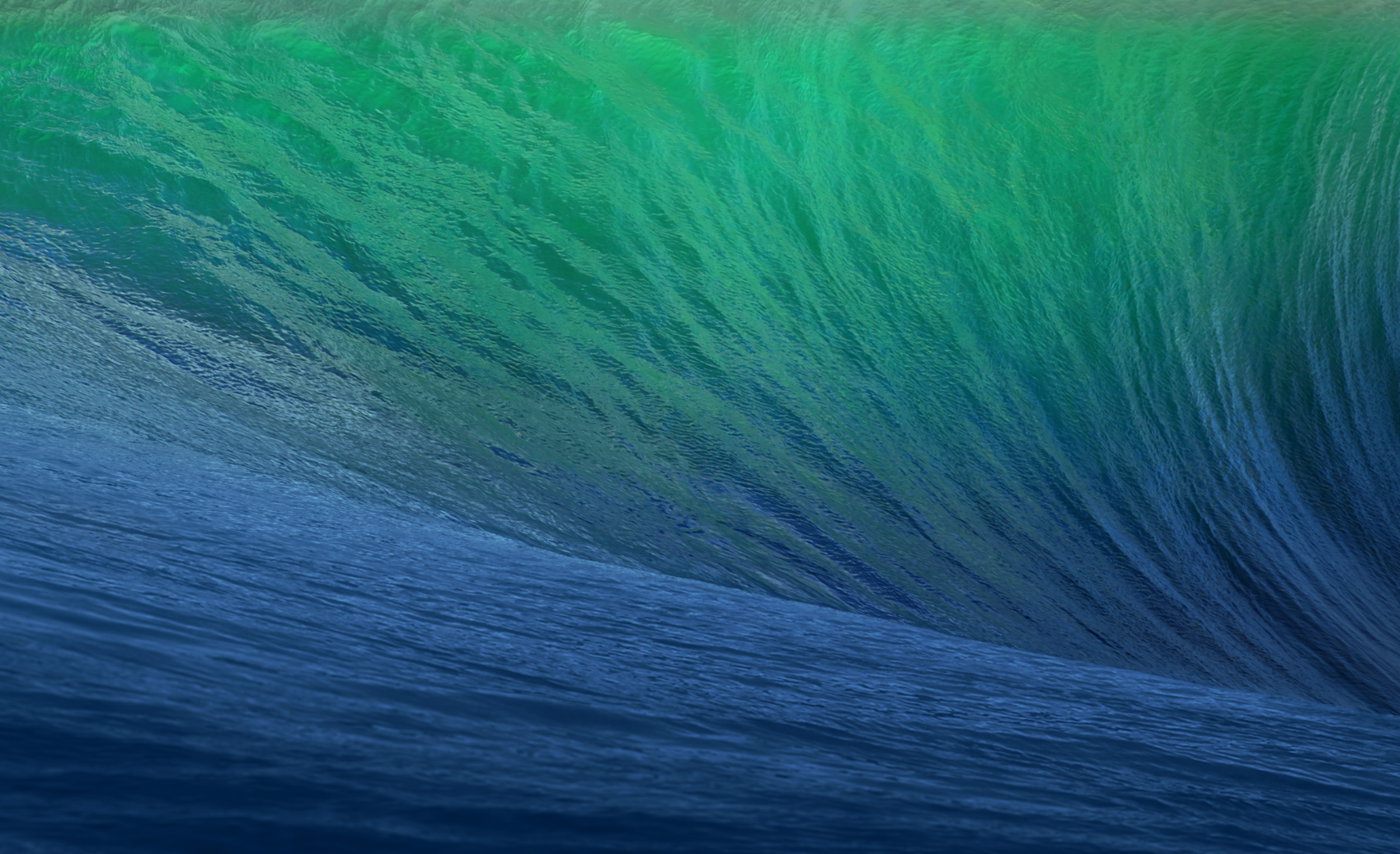
The wallpaper for OS X 10.9 Mavericks.
Mavericks Location: Mavericks surf break, offshore from Pillar Point / Princeton-by-the-Sea, near Half Moon Bay, California
Coordinates: 37.493°N, 122.501°W
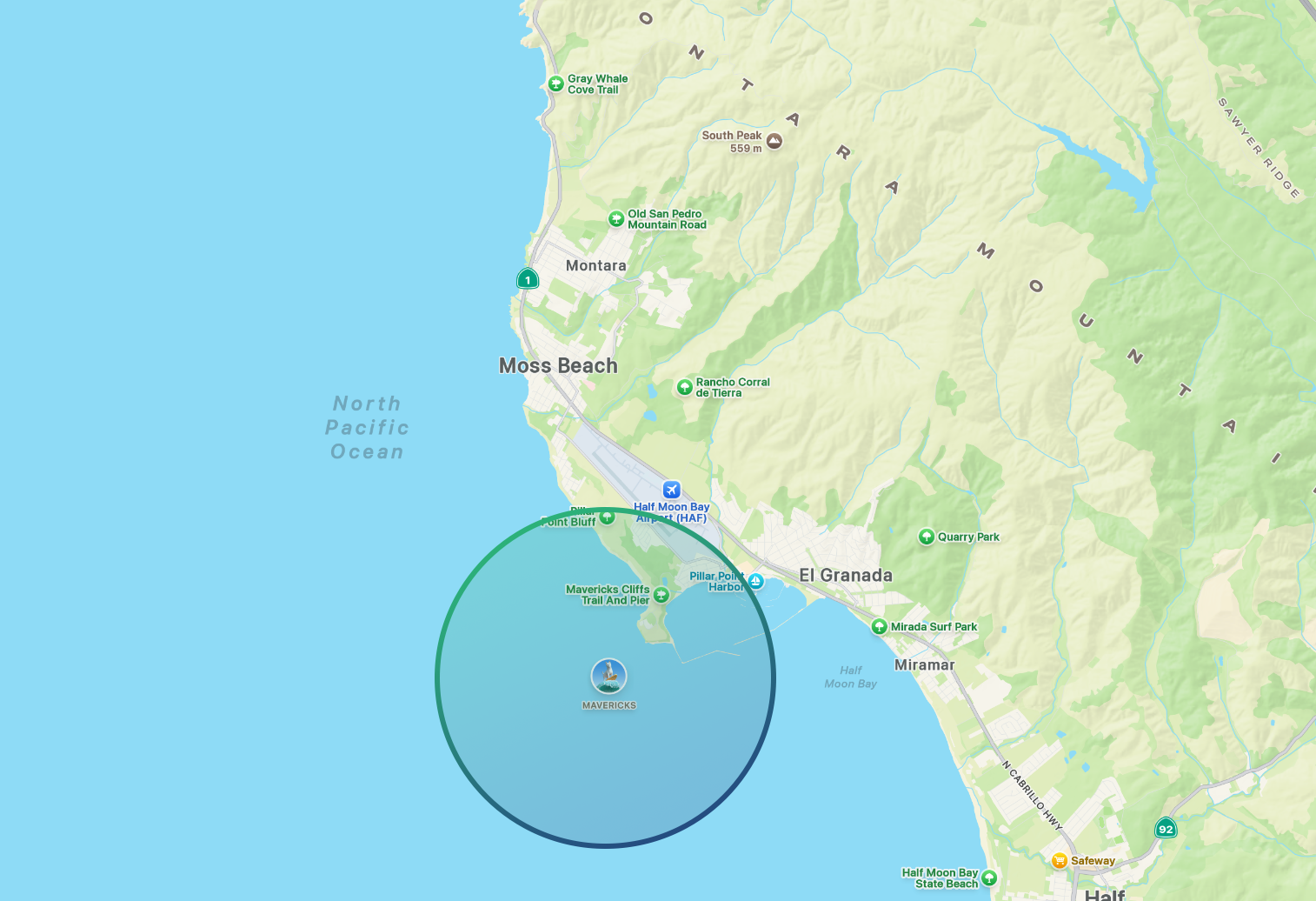
The circle shows the general area of the Mavericks Surf Zone in California.
The default wallpaper for OS X 10.9, introduced by Apple in 2013, featured the shoulder and pocket of a deep blue-turquoise wave. Apple named their first California release after Mavericks, the legendary big-wave surfing destination located about half a mile off the coast of Pillar Point, roughly 20 miles south of San Francisco.
Short of tracking down the photographer and getting their metadata, there’s no way to know whether Apple’s image was actually taken at Mavericks. But for the sake of this entry, let’s say it was.
On the software side, OS X Mavericks focused on battery life, performance, and efficiency, while introducing Finder Tabs and Tags, improved multi-display support, iBooks and Maps for Mac, and a redesigned Safari.
But let’s dry off, we’re off to the mountains!
“You may remember that we’re able to deftly shift from names based on big cats to names based on beautiful places in California, starting of course with OS X Mavericks. Well, it’s another year and time for another name and so we collected our crack product marketing team, shoved them in their VW Minibus and set them out on the road. Now, they first ventured south discovering OS X, Oxnard. This wasn’t quite right. But undeterred, they headed east, landed in OS X Rancho Cucamonga.
Still, we hadn’t quite hit the mark. So, they boldly ventured north landing at OS X Weed. Now... Strangely, this one had large pockets of support within the product marketing organization, but saner heads did prevail and they set off on what then was somewhat more circuitous path. It took them ultimately to a place that embodies the beauty and power of OS X. We discovered OS X Yosemite.”
Yosemite (OS X 10.10)
Released: October 16, 2014
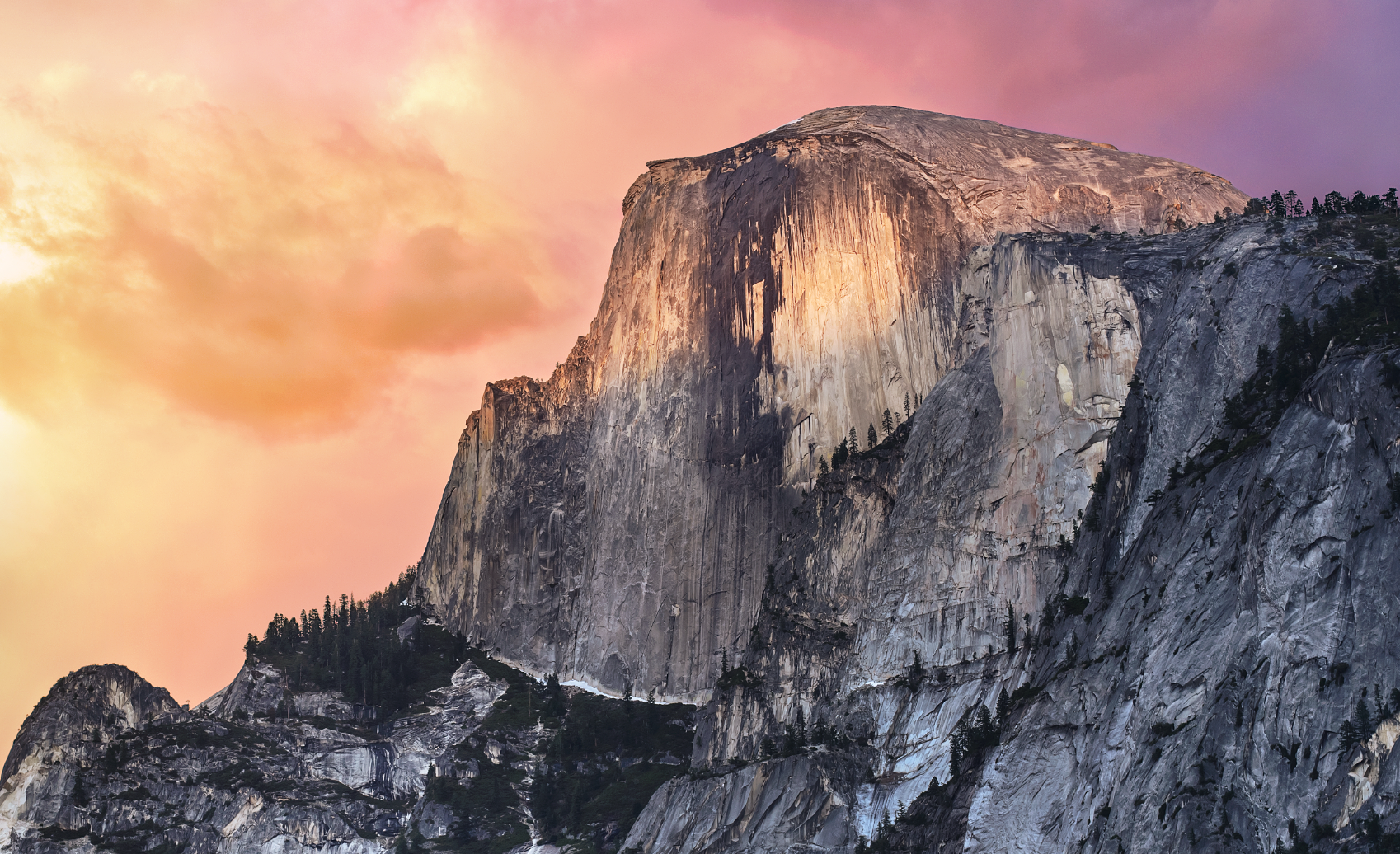
The main wallpaper for OS X 10.10 Yosemite.
Location: Half Dome in Yosemite National Park, likely taken from a ridge near the Ahwahnee Meadow area using a telephoto lens.
Coordinates: 37.747°N, 119.586°W
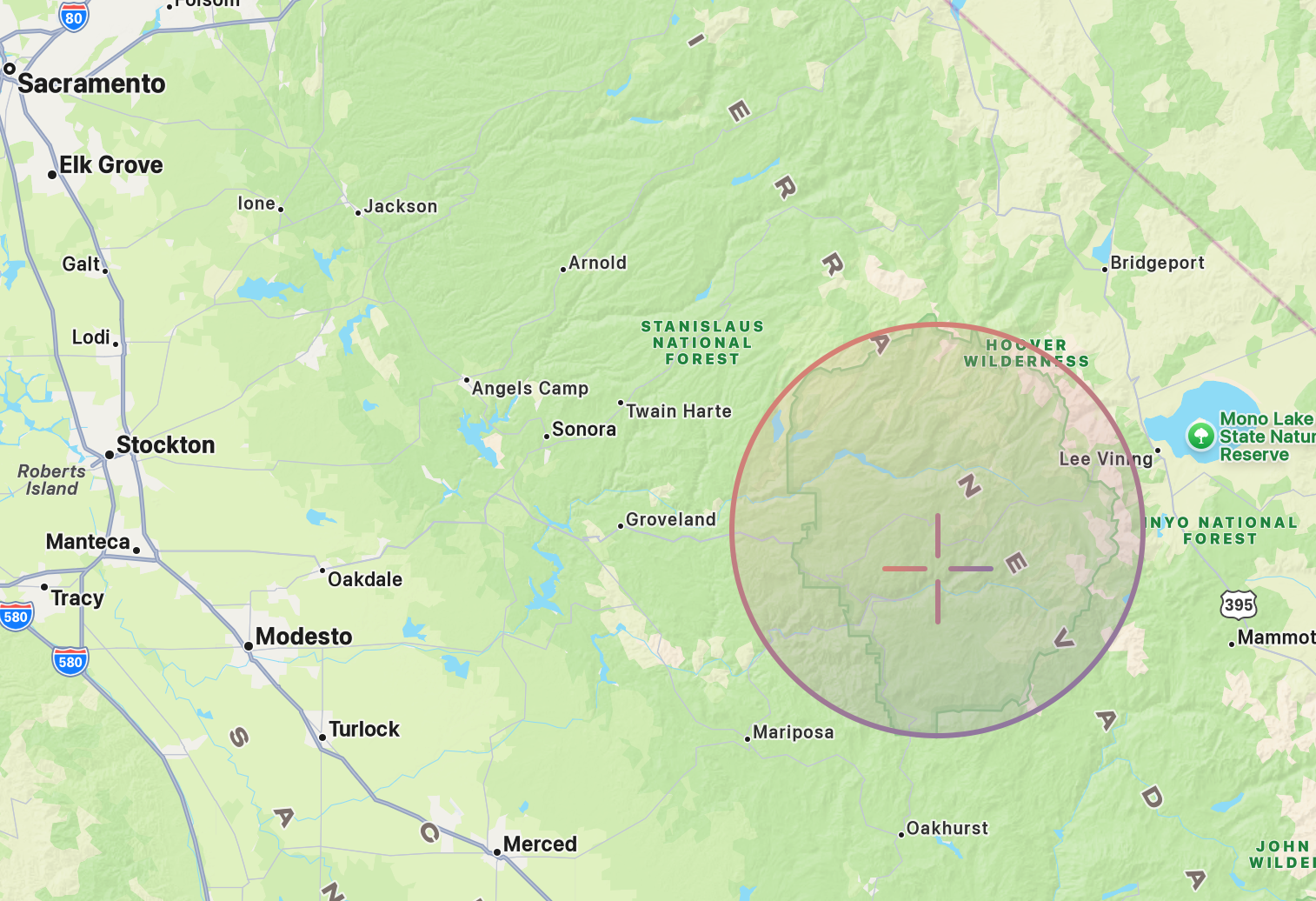
The circle shows the general area of Yosemite National Park while the target shows the location the photo of Half Dome was taken.
From the surf at Mavericks Beach we travel 4.15 hours (196 mi/315 km) East until we arrive at the Ahwahnee Meadows and see soaring above us the famous granite cliffs of Yosemite National Park.
Perhaps the more infamous introduction was OS X Yosemite’s, when Craig Federighi joked about possible names including OS X Rancho Cucamonga and OS X Weed before Apple’s “Crack Marketing Team” settled on OS X Yosemite.
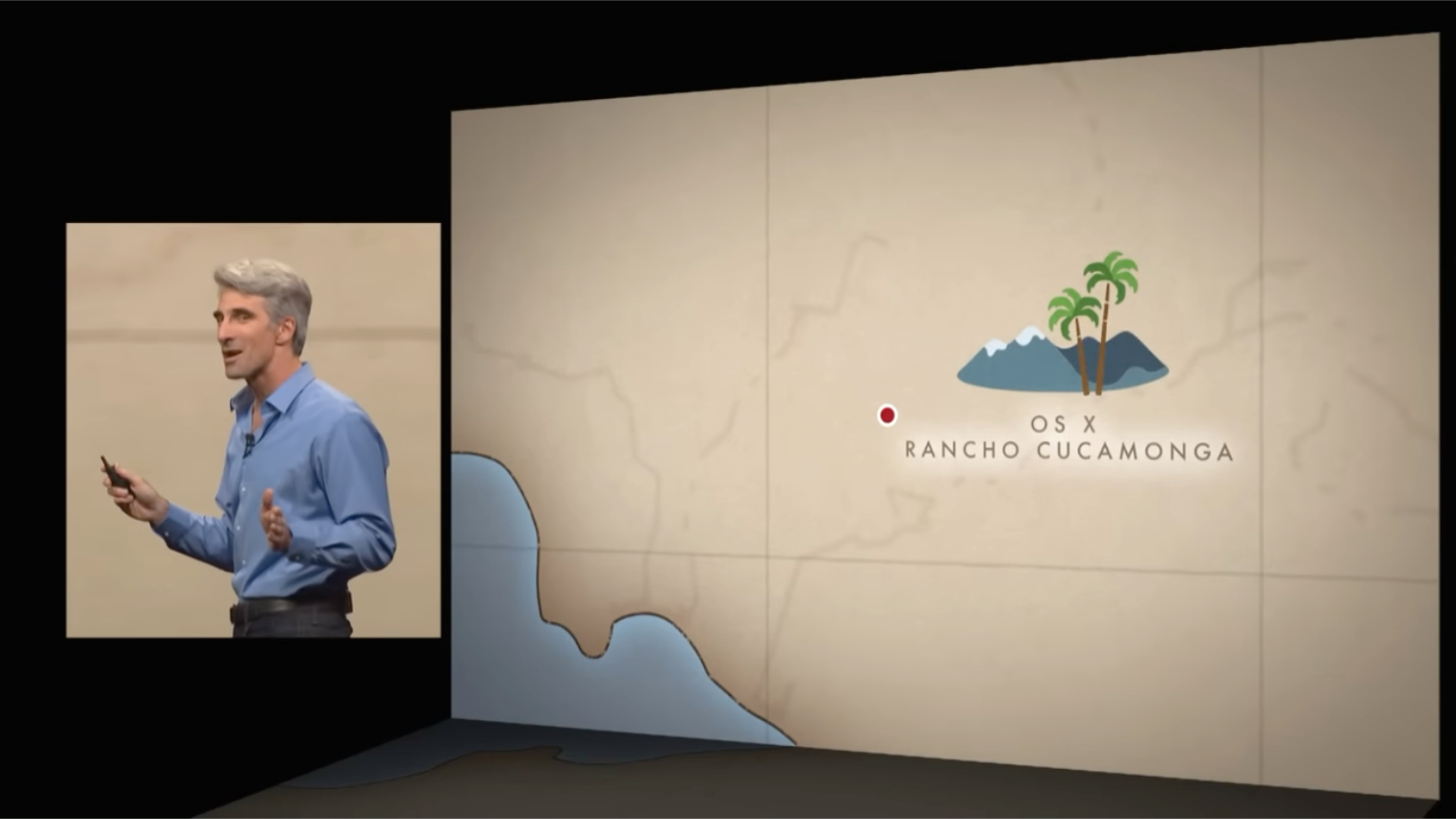
I dunno Craig, I think Rancho Cucamonga would make a great version of OS X.
Amazingly, back in 2019, three friends: Andrew Levitt, Jacob Phillips, and Taylor Gray, went on a road trip to track down and recreate Apple’s macOS wallpaper locations, from Mavericks to Catalina. The video they created chronicling their trip is an absolute must-watch and was an essential resource for many parts of this post.
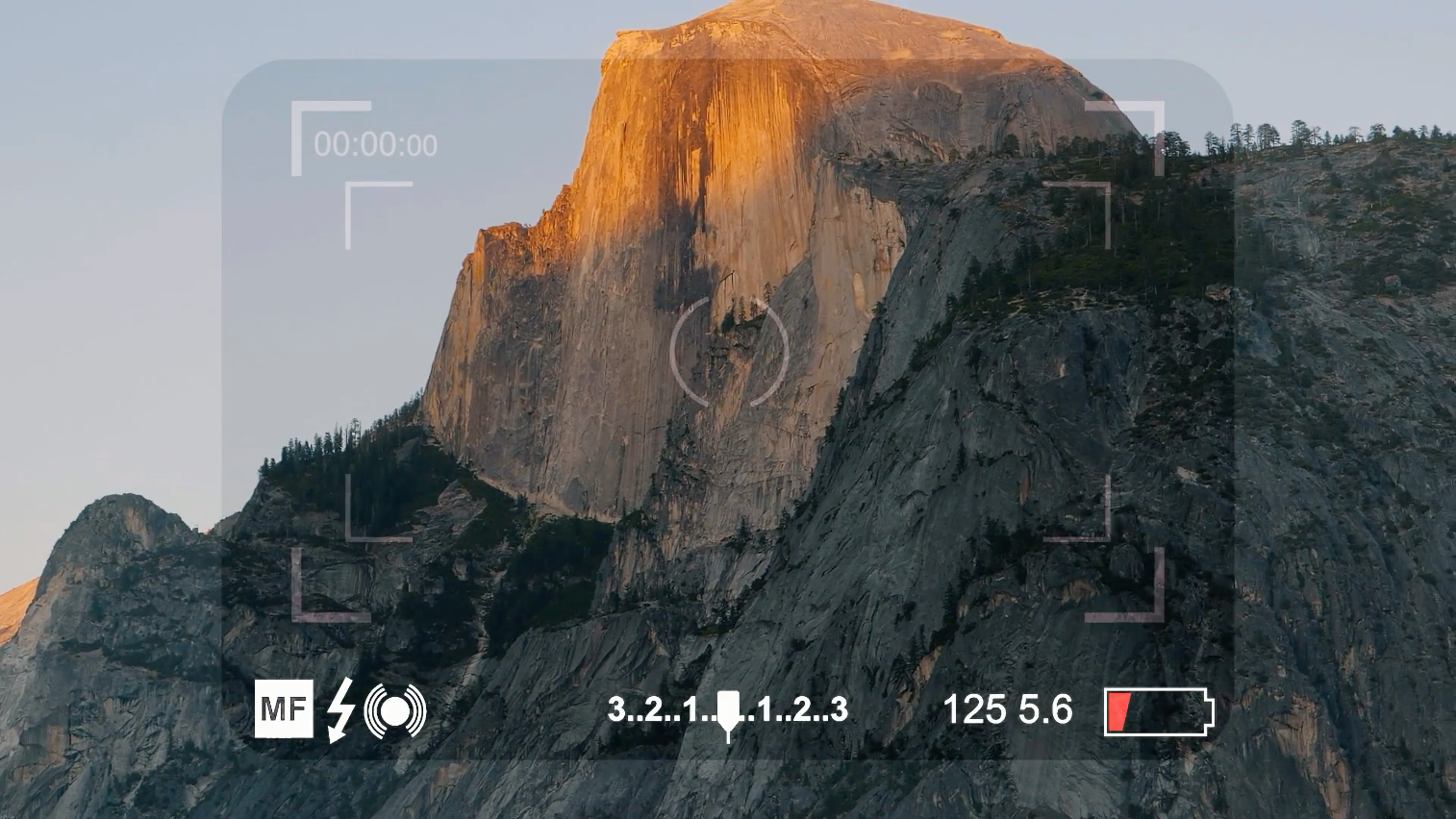
Photo of Half Dome taken by Andrew Levitt, Jacob Phillips, and Taylor Gray during their 2019 road trip to track down and recreate the locations featured in Apple’s California-themed macOS wallpapers. - Source
The main wallpaper used for marketing Yosemite features Half Dome, a 8,850 ft granite monolith located inside Yosemite National Park. The particular place this photo was shot was most likely near the Ahwahnee Meadow inside the park grounds, potentially from a ridge slightly overlooking the valley.
As for the operating system itself, OS X Yosemite brought one of the biggest visual redesigns in Mac history, introducing a flatter, cleaner interface with translucent elements and a refreshed look inspired by iOS. It also debuted Continuity, allowing Macs and iPhones to work together more seamlessly through features like Handoff, Instant Hotspot, SMS relay, and phone call forwarding.
But, we got more to see in Yosemite, onto our next location…
“So for our next big release of OS X, we knew we wanted to build on those strengths of Yosemite with some really great refinements and advances. The only real question, of course, was what to call it. So we had to once again turn to our crack Apple Marketing Team.
Now, in typical California fashion, they started with a project kickoff meeting, and then headed immediately into a team building off site.
Now, of course they are in their traditional Apple Marketing Free-Bottom Fridays attire. They say it’s all part of their ‘process’. I am not sure I get it. Ultimately, this didn’t yield any names, so they called in a consultant. He told them the answer was to be found within. Not within themselves, but within Yosemite. And so the new name for OS X is OS X El Capitan.”
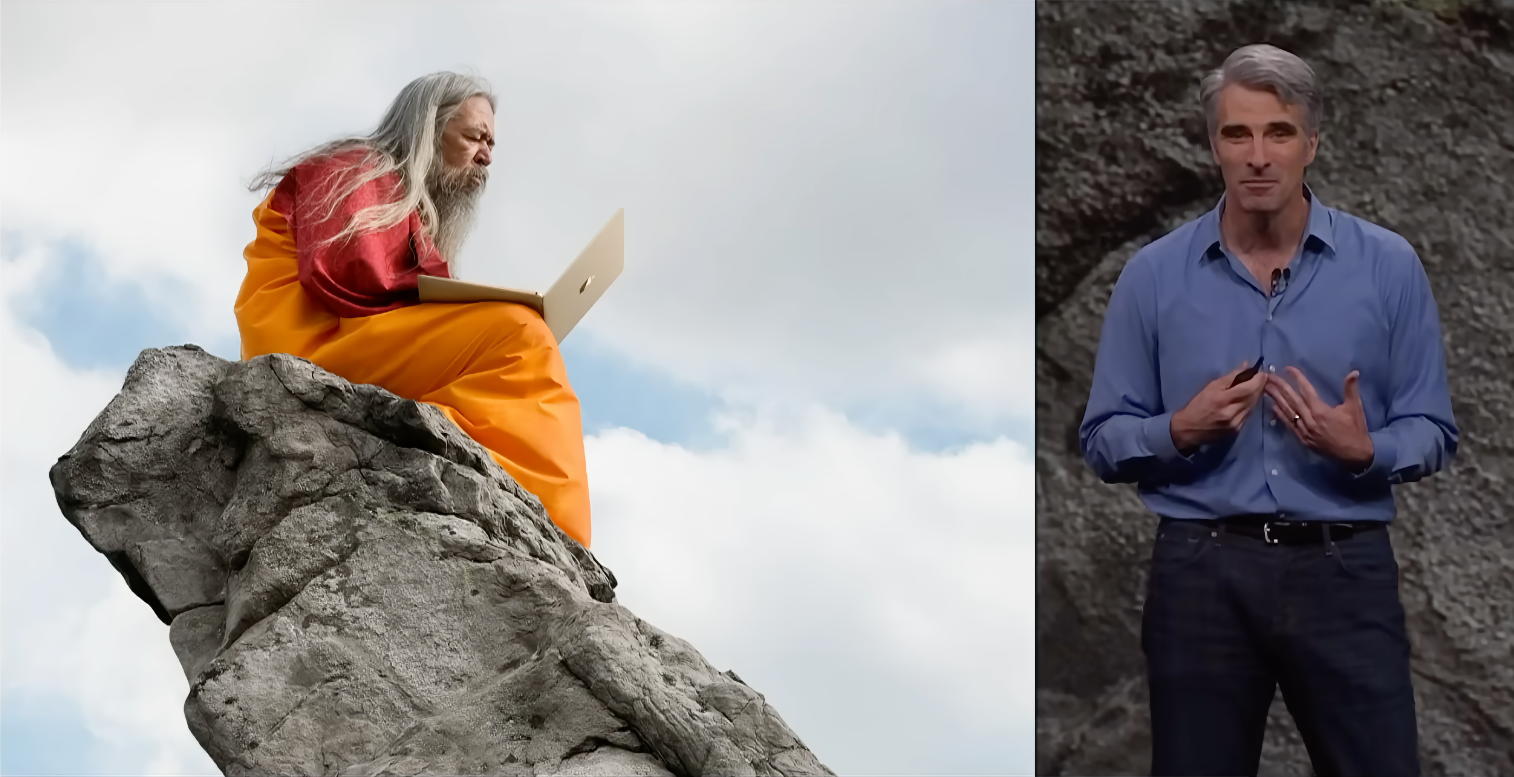
The “Consultant” Apple used to help name the next version of OS X.
El Capitan (OS X 11)
Released: September 30, 2015
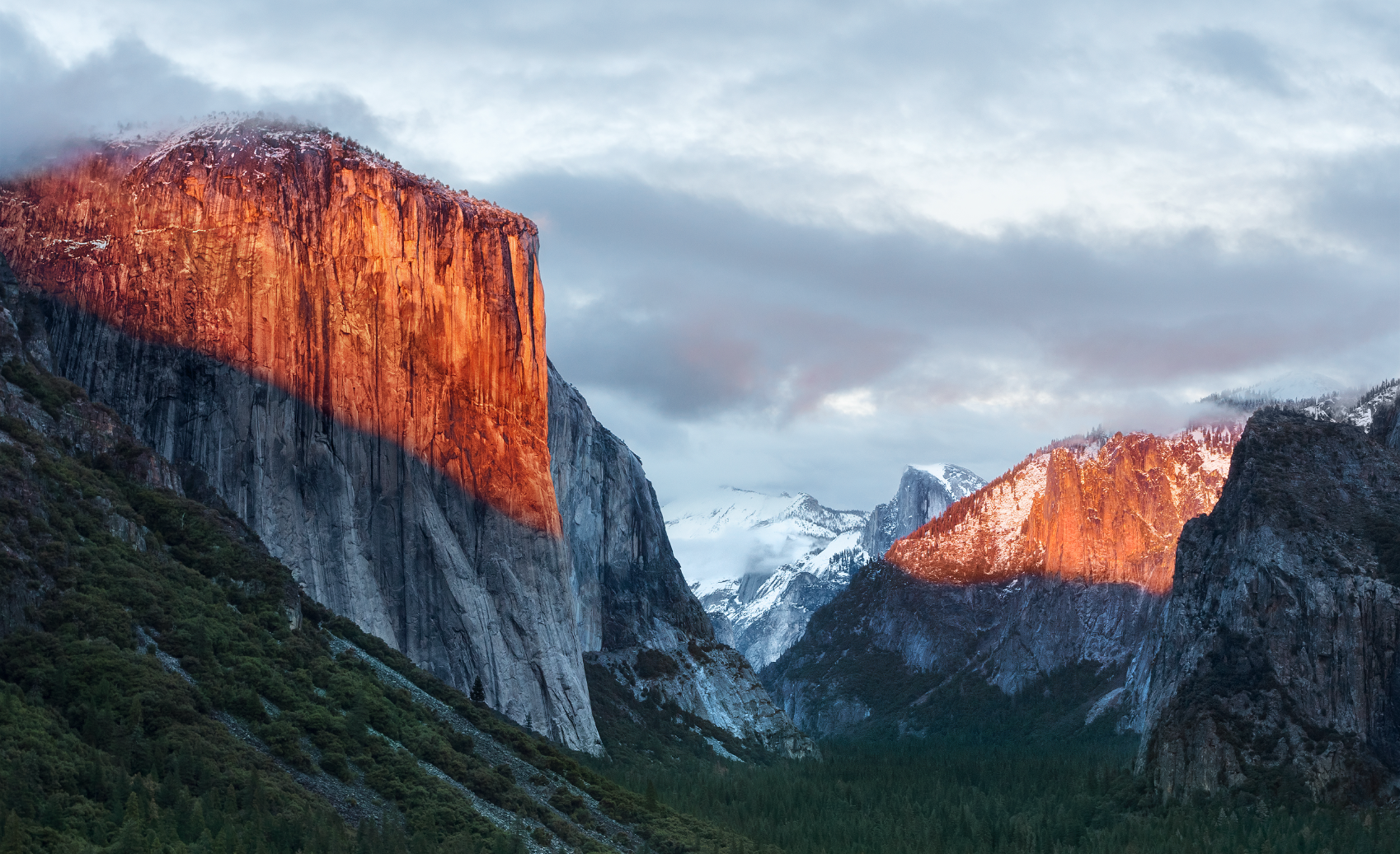
The main wallpaper for OS X 10.11 El Capitan.
Location: El Capitan as seen from Tunnel View, Wawona Rd, California
Coordinates: 37.716°N, 119.679°W
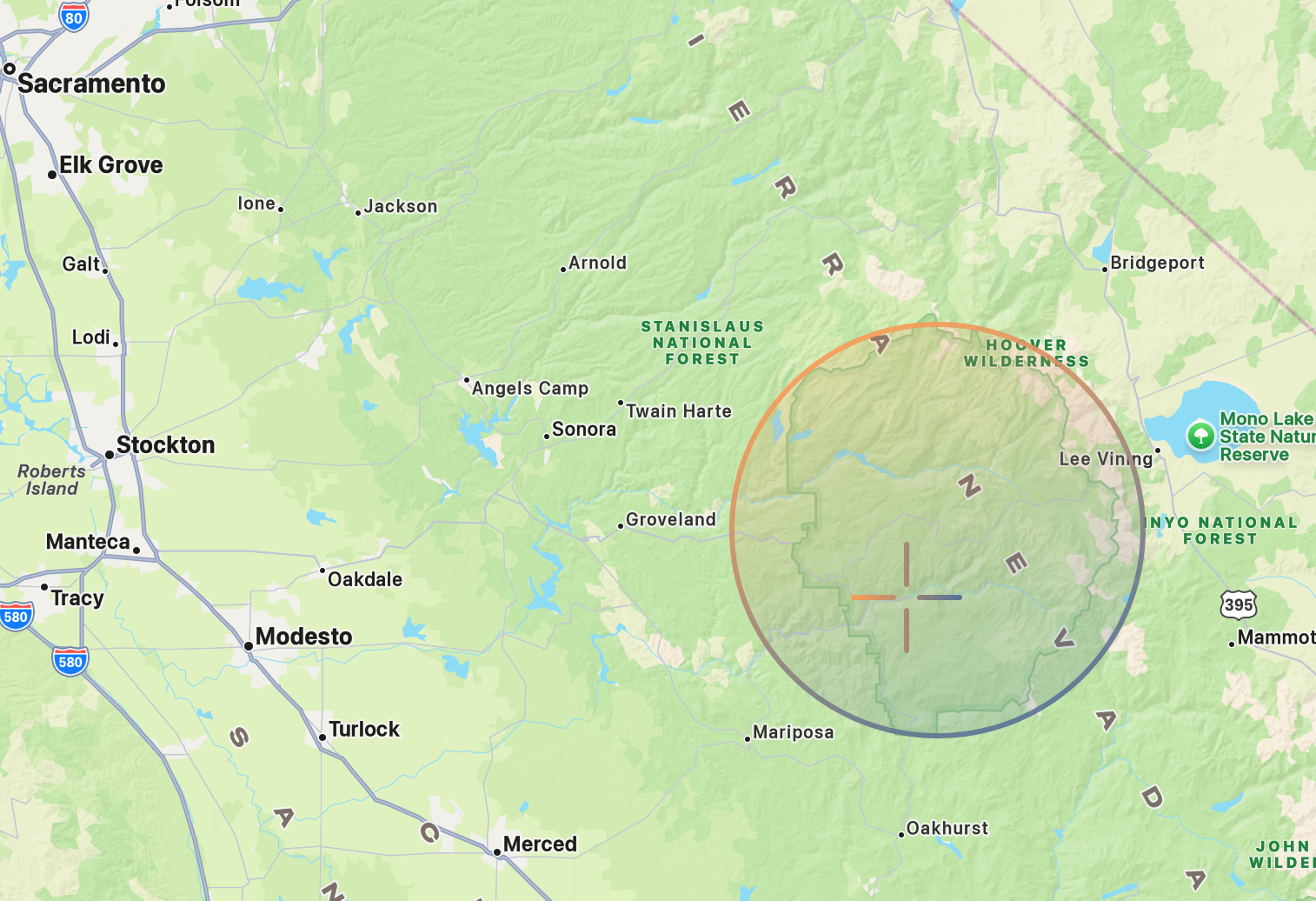
The circle shows the general area of Yosemite National Park, home to the famous El Capitan granite monolith, while the target marks the location from which the El Capitan wallpaper photo was taken.
Our next stop is only a 20-minute drive from the Ahwahnee Meadow (7.8 mi/12.6 km) to another famous landmark inside Yosemite National Park.
The third California-named release of macOS was El Capitan, named after the nearly 900-metre granite monolith that rises above the floor of Yosemite National Park. Apple’s wallpaper was most likely photographed from Tunnel View, one of Yosemite’s most iconic overlooks, where El Capitan rises from the left side of the valley, Bridalveil Fall runs down the cliffs on the right, and Half Dome stands in the distance.
A little bit on OS X El Capitan: it was a release focused on making the Mac faster and more polished. It introduced Split View for side-by-side multitasking, a smarter Spotlight that could understand natural language searches, Safari Pinned Tabs, improvements to Notes and Mail, and Metal graphics technology for better performance in games and professional apps.
“Now of course each version of Mac OS does have a special name after a place that’s especially important to us here in California. And this year’s Mac OS is no different. But the choice this time was obvious. Our latest newest OS X is macOS Sierra.”
Sierra (macOS 10.12)
Released: September 20, 2016
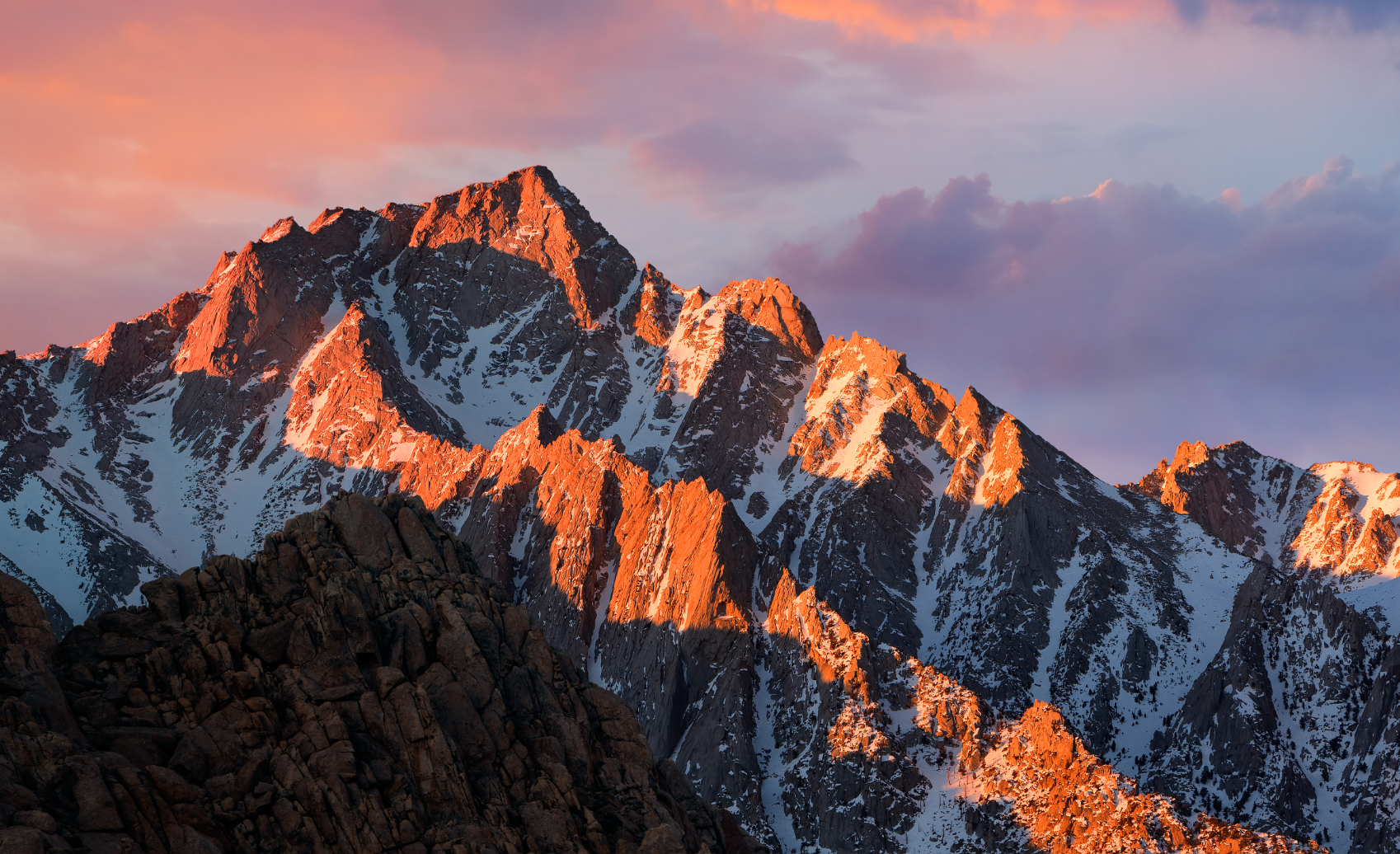
The main wallpaper for macOS 10.12 Sierra.
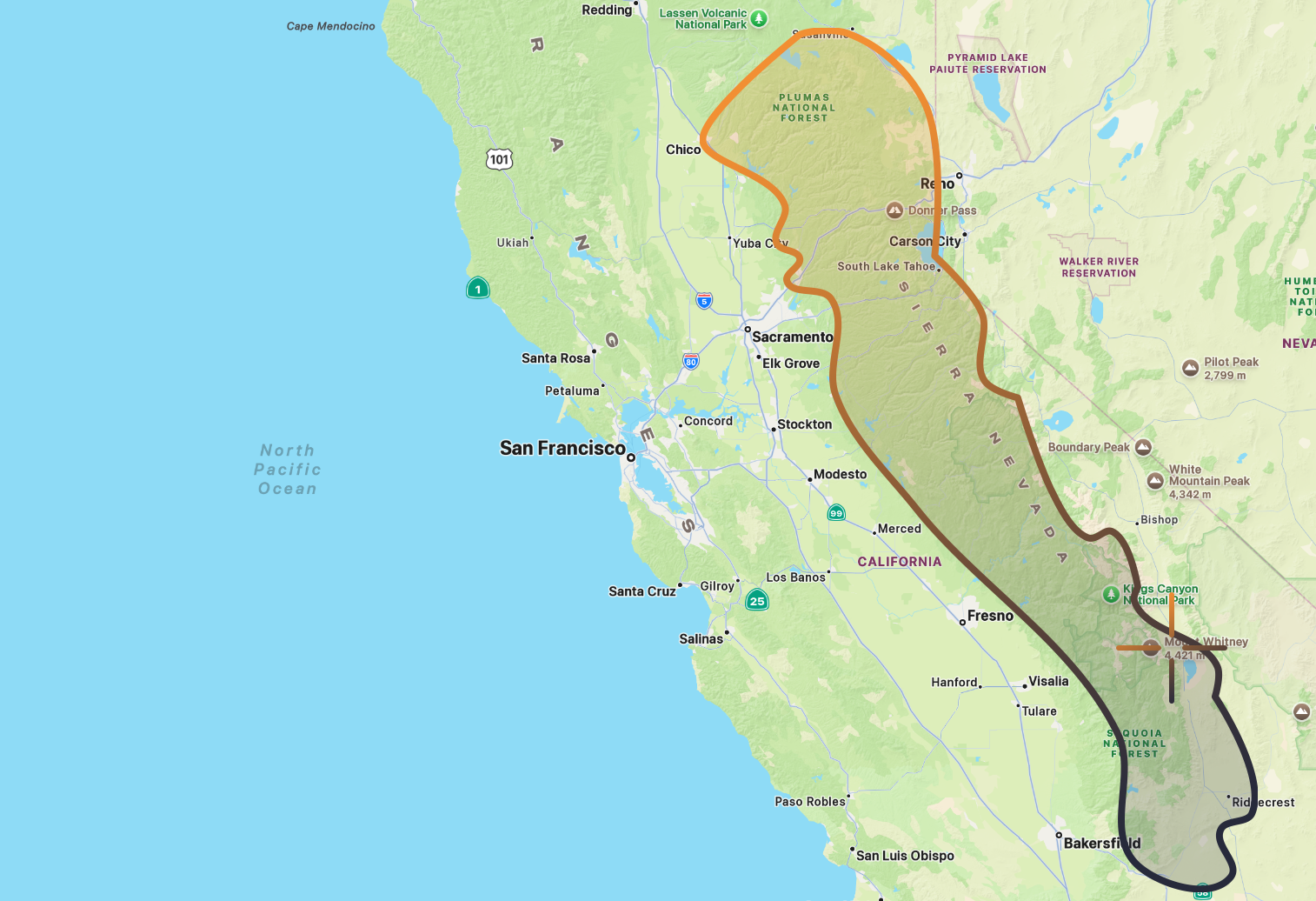
The outline above shows the boundary of the Sierra Nevada Mountain Range, a 300-mile-long range stretching along the eastern edge of California, while the target marks the location of Lone Pine Peak, the mountain photographed for macOS Sierra.
Location: Alabama Hills, near Lone Pine, with Lone Pine Peak area as the subject
Coordinates: 36.609°N, 118.122°W
From Yosemite, it’s a 4.5 hour drive (210 mi/338km) South through the Sierra Nevada until you arrive at the Alabama Hills near the town of Lone Pine, California, on the eastern side of the range. Here, just west of the famous summit of Mount Whitney, sits Lone Pine Peak, the rugged mountain that appears in the wallpaper for macOS 10.12 Sierra.
As an operating system, Sierra marked the naming transition from OS X to macOS, bringing the Mac’s name in line with Apple’s other platforms. It introduced Siri to the Mac, Auto Unlock with Apple Watch, Universal Clipboard for copying and pasting between devices, and iCloud Desktop & Documents, making it easier to move between working on your Mac, iPhone, and iPad.
“Now, people are loving Sierra and we love it too. So, we wanted to spend this year perfecting it. Of course, the question is, what do we call it?
So we enlisted once again our crack marketing team. They were giddy to hop in their mini bus and this time, venture east, deep into the Sierras but this time, ascending its highest peaks. And when they finally came back, they had a name they said felt really, really good. And it’s my privilege to announce for you today, macOS High Sierra.”
High Sierra (macOS 10.13)
Released: September 25, 2017
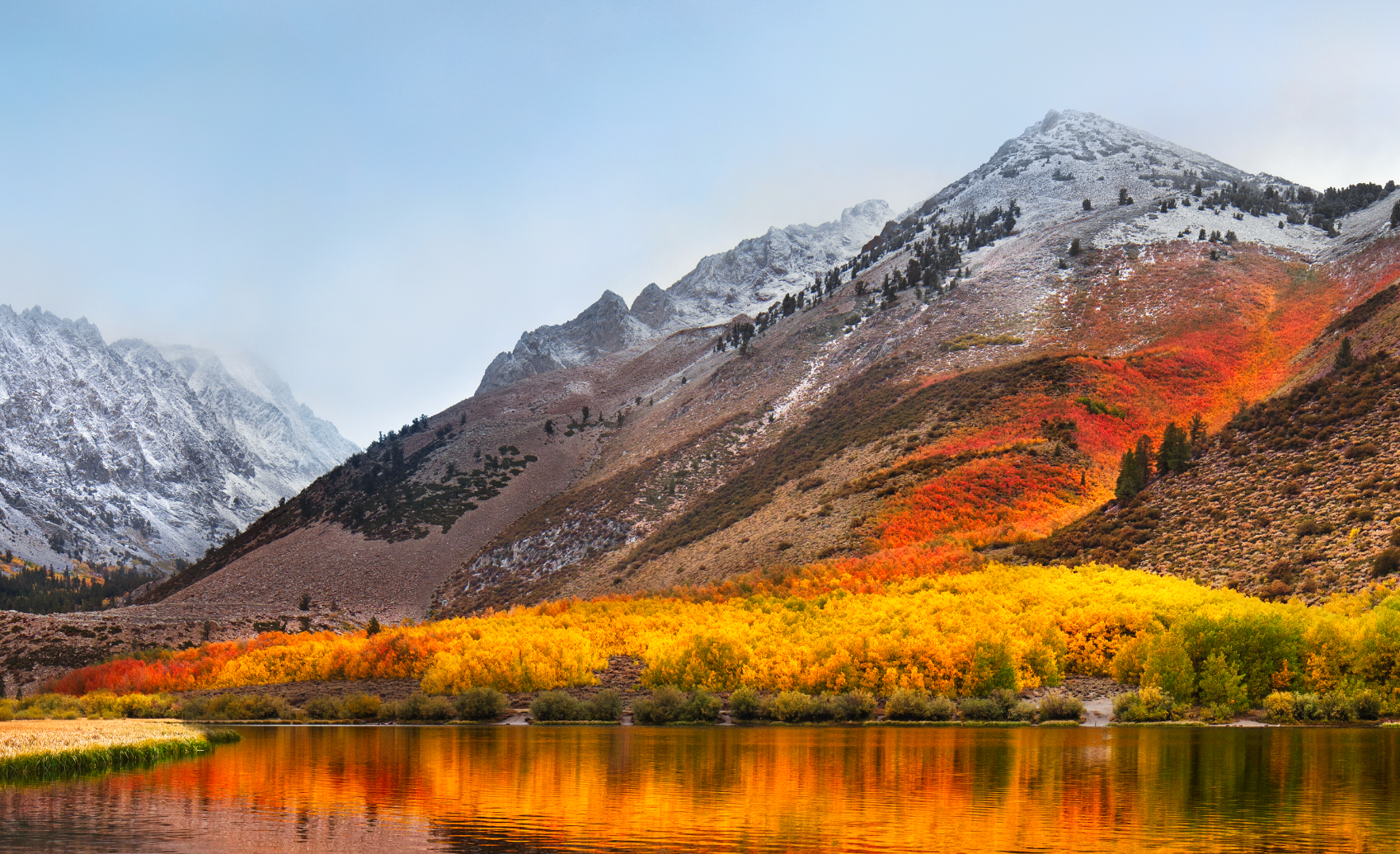
The main wallpaper for macOS 10.13 High Sierra.
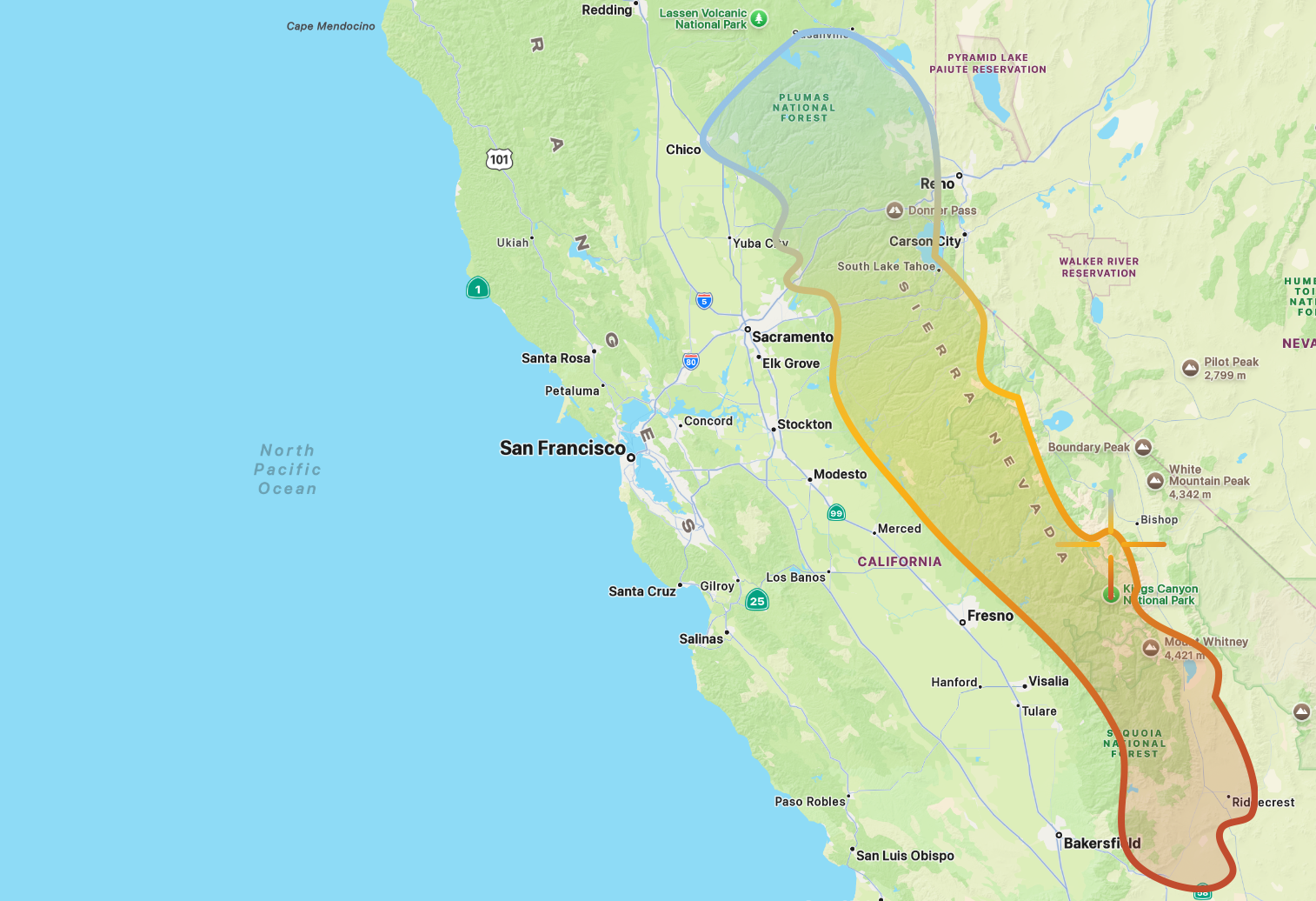
The outline above shows the boundary of the Sierra Nevada Mountain Range, while the target marks the location of North Lake, the area photographed for macOS High Sierra.
Location: North Lake, Bishop Creek Canyon, Eastern Sierra, west of Bishop, California
Coordinates: 37.231°N, 118.614°W
From Lone Pine Peak, we continue about 80 minutes north (80 mi/129 km), deeper into the Sierra Nevada. At the small town of Bishop, we turn west into the mountains and eventually arrive at North Lake, a picturesque alpine lake nestled amongst the Sierra mountains. This is the location Apple photographed for the wallpaper of macOS 10.13 High Sierra.
The details of the photo suggest it was taken in autumn, with the trees turning shades of yellow and red while a light dusting of frost clings to the surrounding peaks.
As an operating system, macOS High Sierra was less about flashy new features and more about giving the Mac a tune-up under the hood (think the Snow Leopard for the California releases). In High Sierra, Apple introduced the new APFS file system, brought support for modern HEVC and HEIF video and photo formats, and upgraded graphics performance with Metal 2.
“Now after spending a year by the ocean, we not only modernized the look and feel of macOS, but we headed to the mountains with macOS Yosemite. Now, as you may be aware, our naming of Mac releases is handled by our crack marketing organization, and as you’ve probably noticed, they went on a four-year mountain-bound bender.
In El Capitan we added metal, our ground-breaking graphics technology. In Sierra, we brought Siri to the Mac and extended our capabilities and continuity. And last year with High Sierra, we focused on deep technology, preparing the Mac for future innovation. Well this year, we made some striking changes to macOS, and we’ve left the high country for a place entirely different but not less beautiful and here still in California, and I’d like to take you there now. Our next release of macOS is macOS Mojave.”
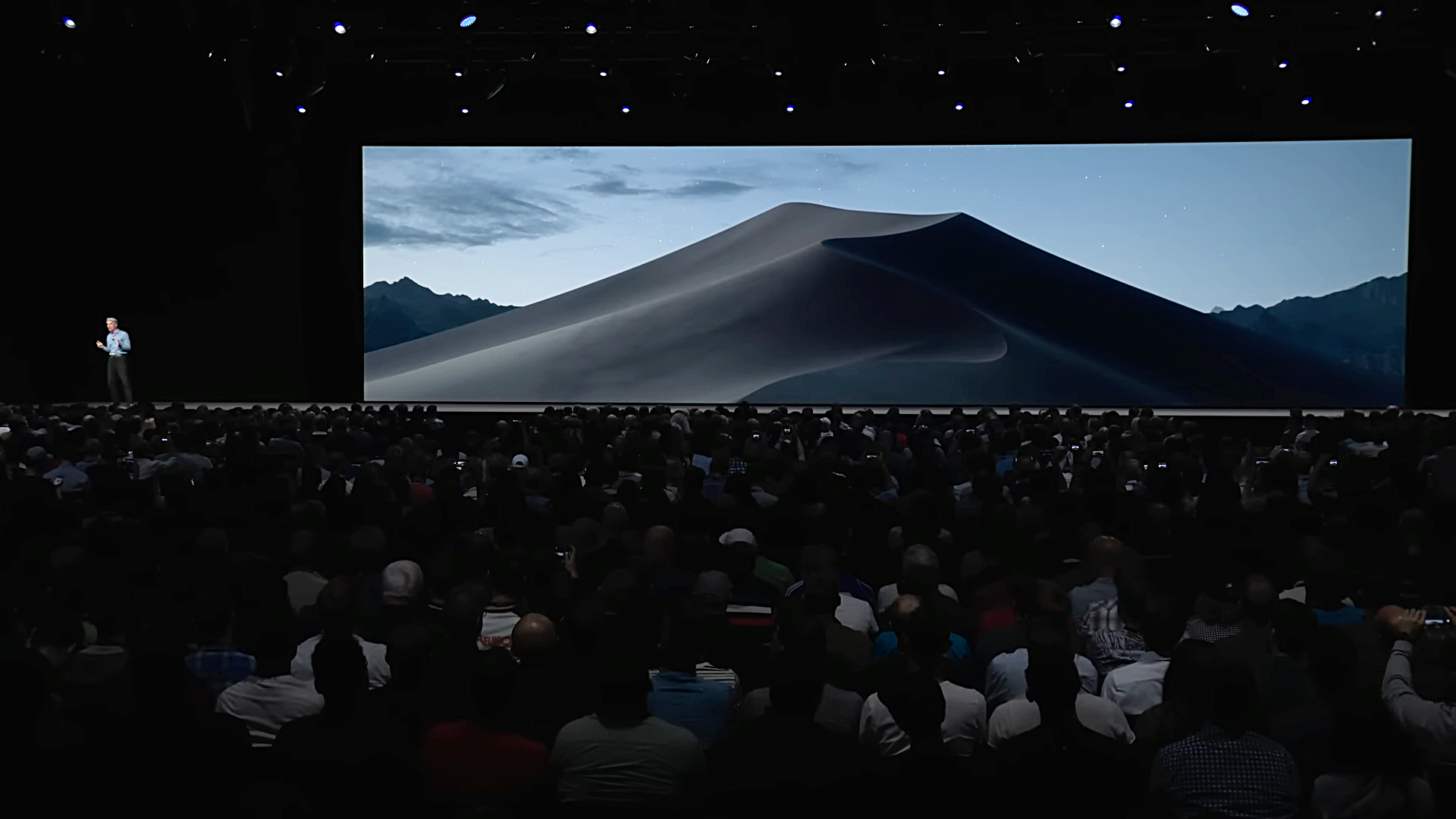
Mojave being introduced at WWDC2018. It was the first version of macOS to feature a dark mode UI.
Mojave (macOS 10.14)
Released: September 24, 2018
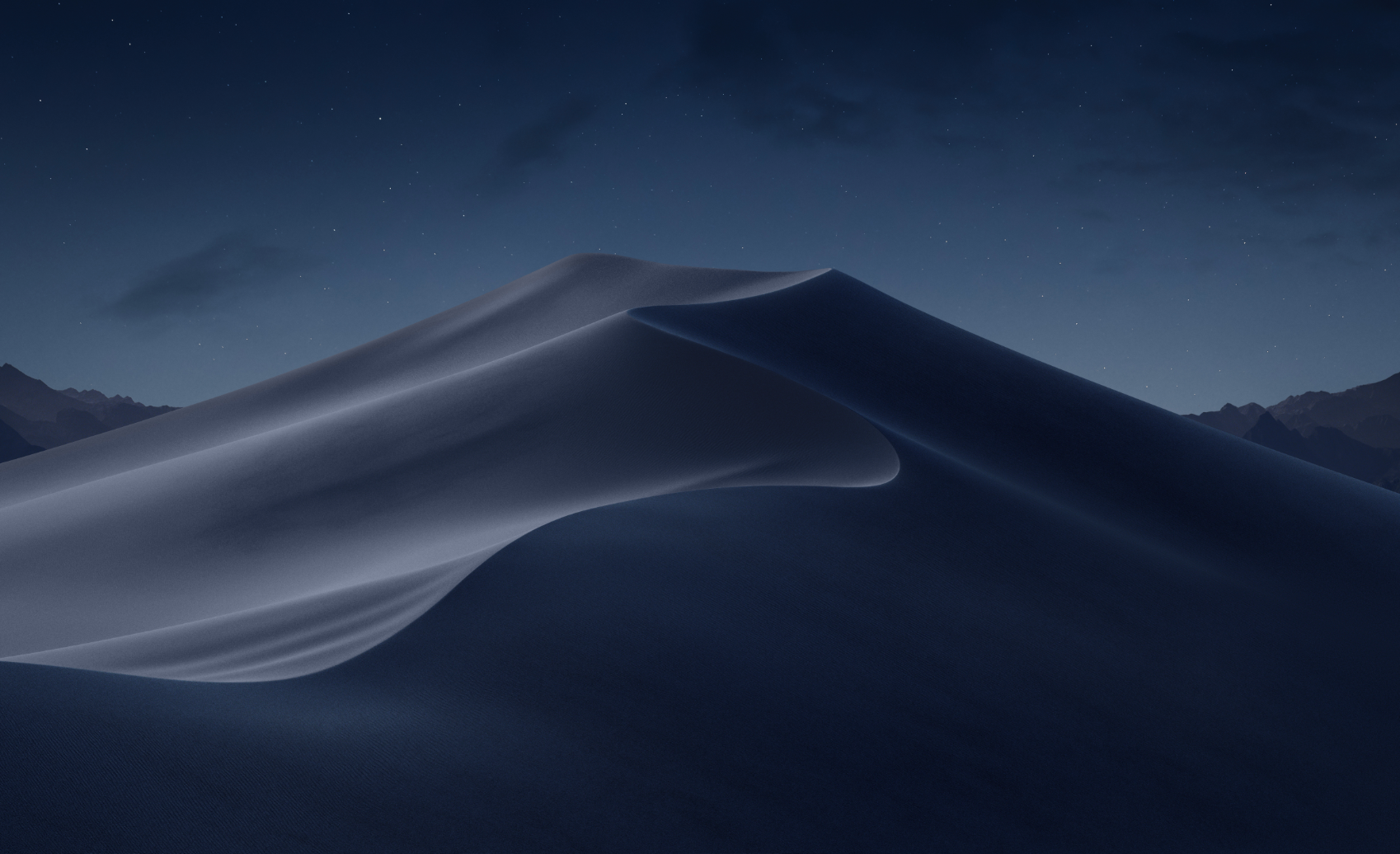
The main (night mode) wallpaper for macOS 10.14 Mojave.
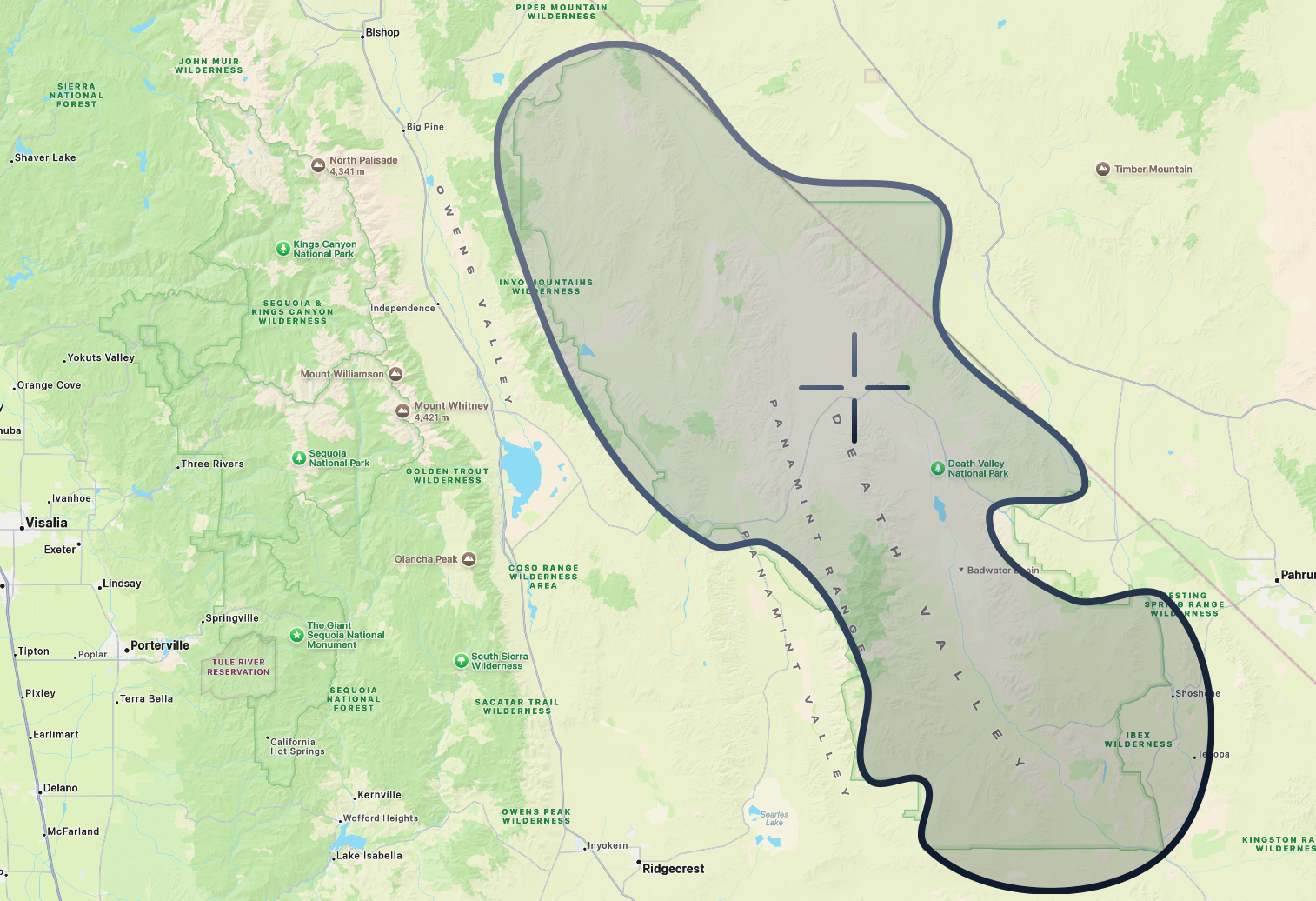
The outline above shows the general boundary of Death Valley National Park, a 3-million-acre desert region along the southeastern edge of California. The target marks the Mesquite Flat Sand Dunes, the likely location of the dune photographed for macOS Mojave.
Location: Death Valley National Park, most commonly identified as Mesquite Flat Sand Dunes near Stovepipe Wells
Coordinates: 36.606°N, 117.115°W
After four back-to-back years of mountain named operating systems, Apple took a 3 hour (157 mi/253 km)drive to Death Valley National Park and introduced us to macOS Mojave.
Now, the thing about sand dunes is that they’re constantly shifting, but the clever trio of Andrew Levitt, Jacob Phillips, and Taylor Gray used the mountains in the background to help pinpoint the area where the dune featured in macOS Mojave was most likely photographed.
“Now here's where things get a little tricky. We were trying to get the right shot by lining up the mountains in the background with the sand dunes, but there was no way to line up the mountains you see on either side correctly with the right view of the ridge. So we ended up having to settle and getting the shot from both angles.”
As an OS, Mojave is perhaps best known for introducing Dark Mode, one of the most requested Mac features ever. It also added Desktop Stacks for organizing files, a redesigned Mac App Store, Dynamic Desktop wallpapers, and brought apps like News, Stocks, Voice Memos, and Home to the Mac.
“Great to be back with all of you again. So, for our next major release of macOS, we are moving out of the desert into the beautiful waters off the California coast, a place for sailing, diving and so much more. It’s macOS Catalina.”
Catalina (macOS 10.15)
Released: October 07, 2019
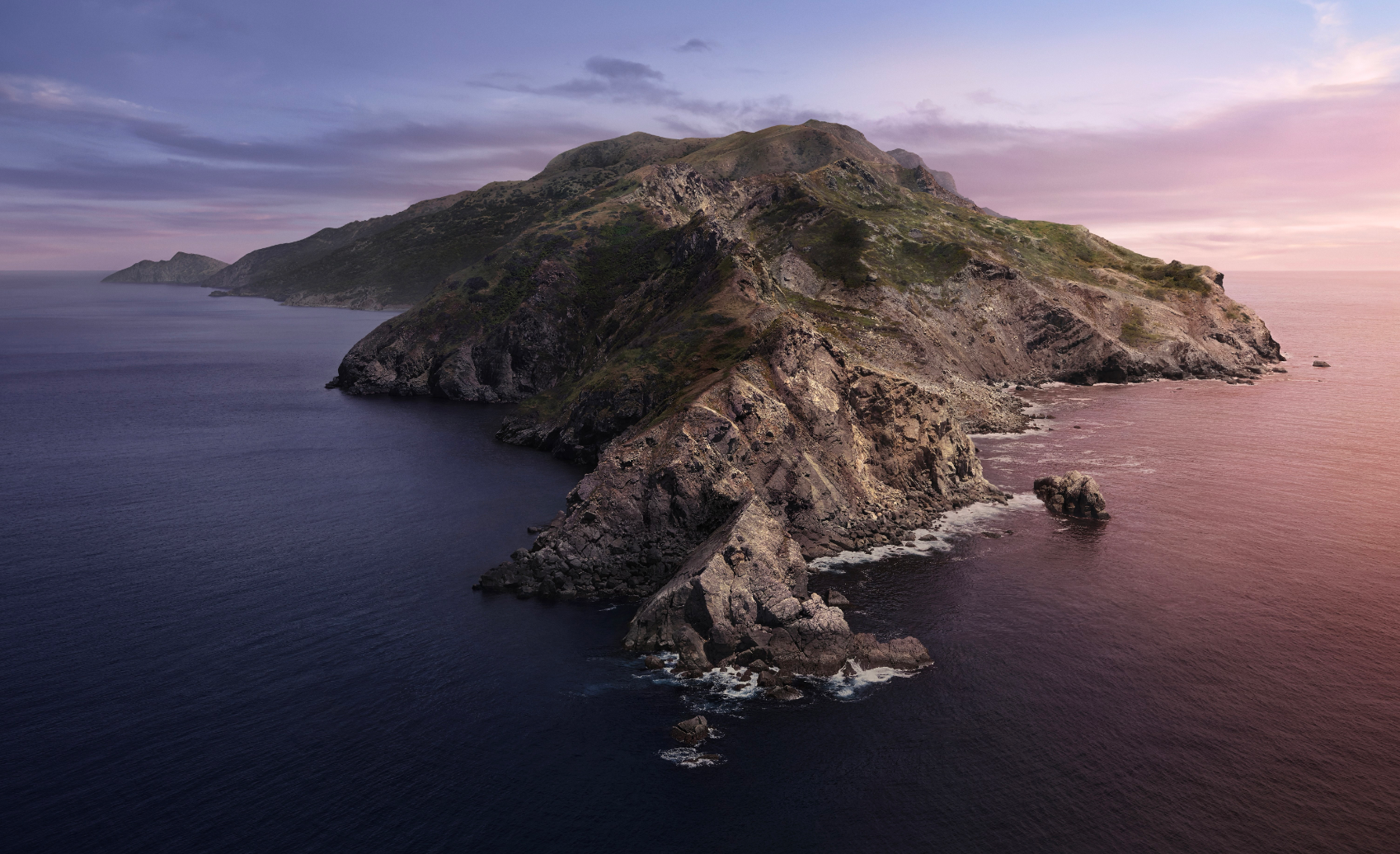
The main wallpaper for macOS 10.15 Catalina.
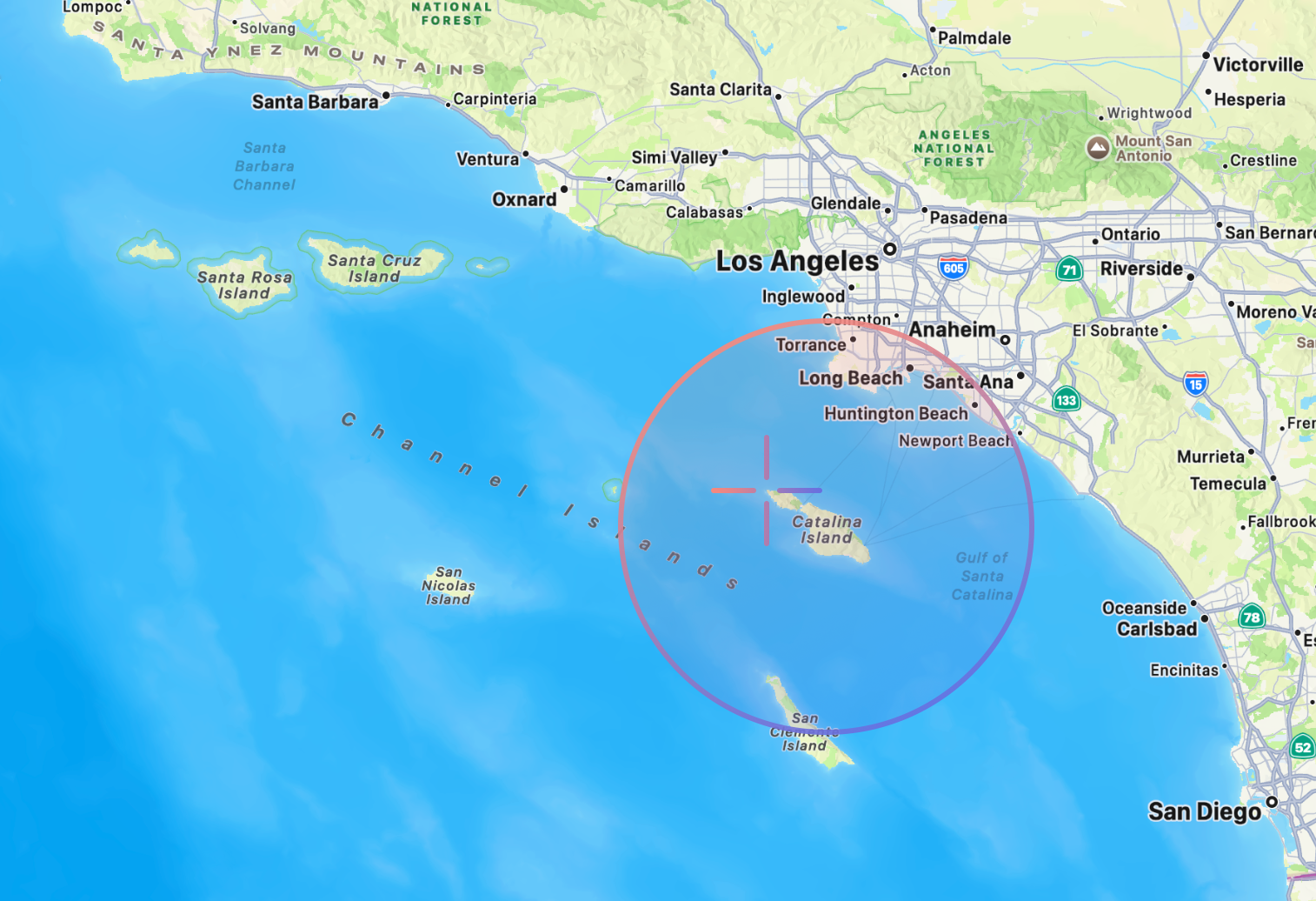
The outline above shows Catalina Island, a 76-square-mile island off the coast of Southern California. The target marks the northwestern part of the island, near the location where the macOS Catalina desktop wallpaper was photographed.
Location: Aerial photograph of the northwestern end of Santa Catalina Island, off Southern California.
Coordinates: 33.479°N, 118.605°W
From the Mojave Desert, we make our way to Catalina Island, the namesake of the next version of macOS. The journey takes us about 5.5 hours west by road (266 mi/428 km) to the coast, followed by a one-hour ferry ride across the Pacific (22 mi / 35 km) to the island itself.
Now, Catalina Island, and especially the area where the wallpaper was photographed, is incredibly remote. For the trio of Andrew Levitt, Jacob Phillips, and Taylor Gray, reaching it required a 7.5-mile (12 km) hike from the ferry landing to a campsite, followed by a 16-mile (26 km) round-trip trek the next day to reach the location itself:
“So here's the deal. It was an eight-mile hike to where the wallpaper was taken at the west end of Catalina. And to get there, we had to climb a thousand feet of elevation then descend a thousand feet and then turn around and go back all in the same day.”
For their wallpaper, Apple used a helicopter or drone to fly offshore and capture the island from over the water, returning multiple times to photograph the scene under different lighting conditions to create Catalina’s dynamic wallpaper.
A bit about macOS Catalina: it marked the end of iTunes and introduced separate Music, TV, and Podcasts apps, and introduced Sidecar, which lets an iPad act as a second display for your Mac. It also added Voice Control, enhanced security features, and new tools that made it easier for developers to bring iPad apps to the Mac.
“But what should we call it? Well, if you’re a student of macOS, you know this question can only be answered by Apple’s legendary crack marketing team. Their drug-fueled, minibus-driven vision quests have yielded some great names and, sadly, spawned a host of imitators. The truth is, we can’t responsibly continue to inadvertently lead our competition to copy these methods when they clearly can’t handle the trip. So this year, we’re leaving our process shrouded in mystery and taking you straight to the glorious destination. Our next release of macOS is macOS Big Sur.”
Big Sur (macOS 11)
Released: November 12, 2020
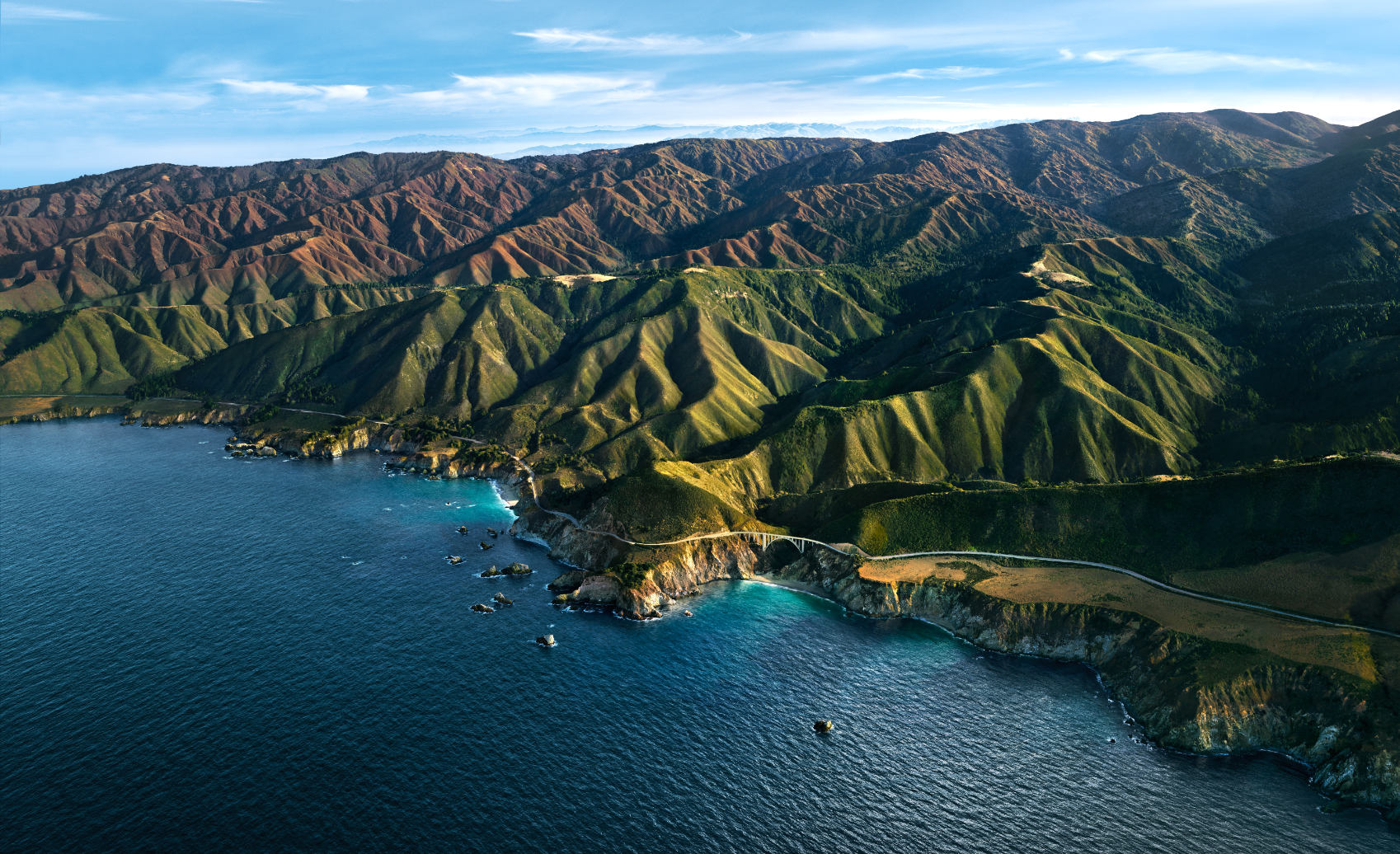
The main photographic wallpaper for macOS 11 Big Sur.
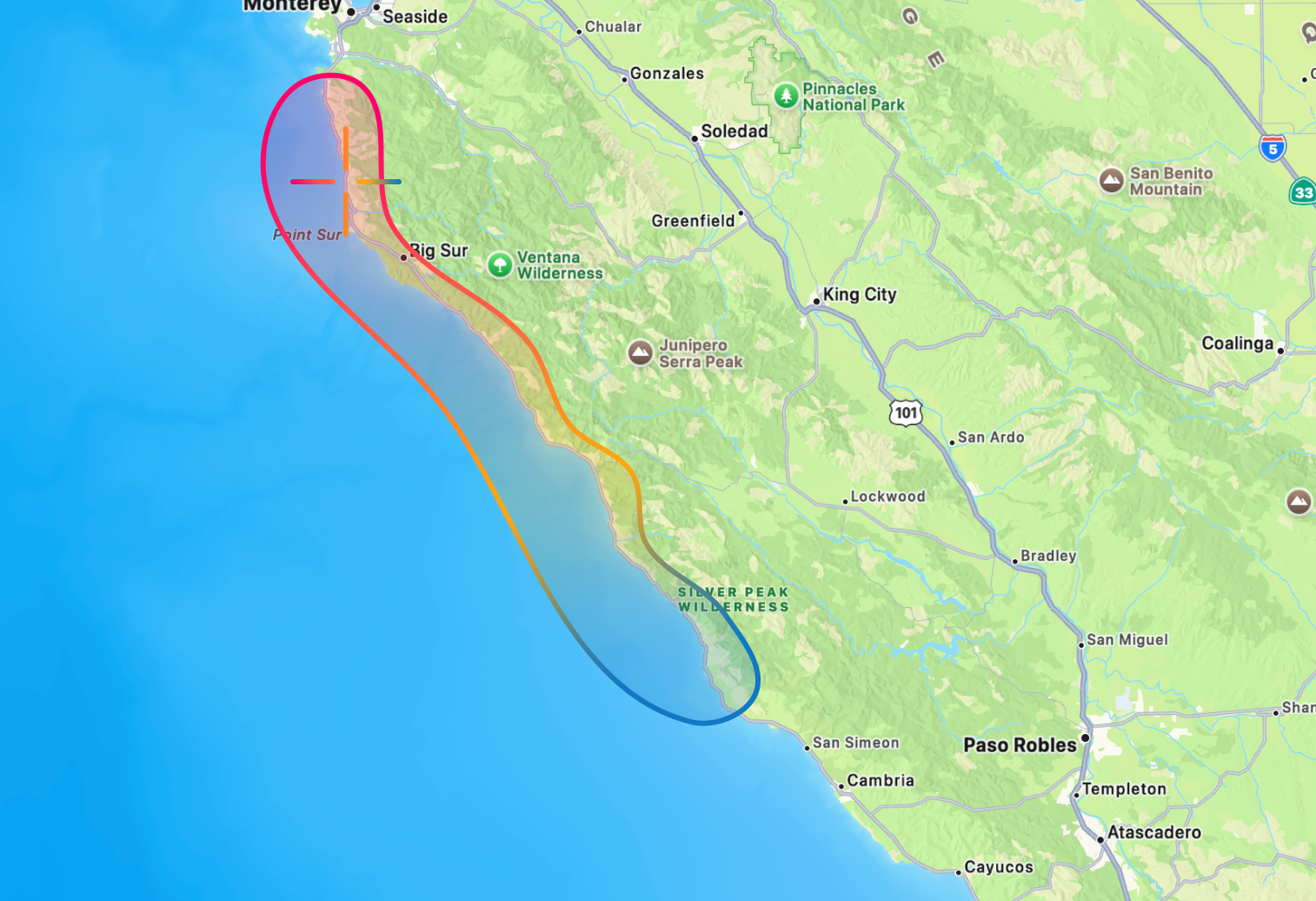
The outline above shows the general area of Big Sur, a 90-mile mountainous stretch of California’s Central Coast between Monterey and San Simeon. The target marks the location of Bixby Creek Bridge, the bridge photographed for macOS Big Sur.
Location: Aerial Photograph of the Bixby Creek Bridge
Coordinates: 36.371°N, 121.902°W
Hopping back on the hour-long ferry and leaving Catalina Island behind, we travel 5.5 hours (326 mi / 524 km) North along California’s rugged, mountainous coastline, until we come across the iconic Bixby Creek Bridge, the wallpaper location of the next version of macOS: Big Sur.
The Bixby Creek Bridge, which opened in 1932, spans a dramatic section of the Big Sur coastline, a rugged region renowned for its winding coastal highway, breathtaking views, and forests.
This shot was captured overlooking the Bixby Creek Bridge and the coastline of Big Sur. The team of Andrew Levitt, Jacob Phillips, and Taylor Gray discovered that the image was taken from such a high altitude that a drone would not only have been illegal to operate, but likely incapable of reaching the required height. So they chartered a helicopter, even tracking down the same pilot who had flown Apple’s Crack Marketing Team during the creation of the original wallpaper, and flew roughly 4,000 feet (1,220 m) out over the Pacific to recreate the shot. This one was definitely not an easy shot to capture, never mind at numerous points in the day, given the regions propensity for dense fog.
As for the software, macOS Big Sur delivered another large visual redesign to the Mac, with refreshed icons, translucent materials, a redesigned Dock, Control Center, and Notification Center. It was also the first version of macOS designed to support Apple’s transition from Intel processors to Apple Silicon.
“But what should we call it? Well, that brings us to the latest exploits of our crack marketing team. With their annual vision quest postponed, our merry band of nomadic namers wandered aimlessly through the California hills before donning their technicolor wet suits and immersing themselves in the inspiration of the beautiful, rich waters of Monterey. macOS Monterey gives you the power to accomplish more than ever and helps you work fluidly across all your devices.”
Monterey (macOS 12)
Released: October 25, 2021

The main wallpaper for macOS 12 Monterey.
Location: Monterey County
Coordinates: 36.598°N, 121.894°W (of Monterey, California)
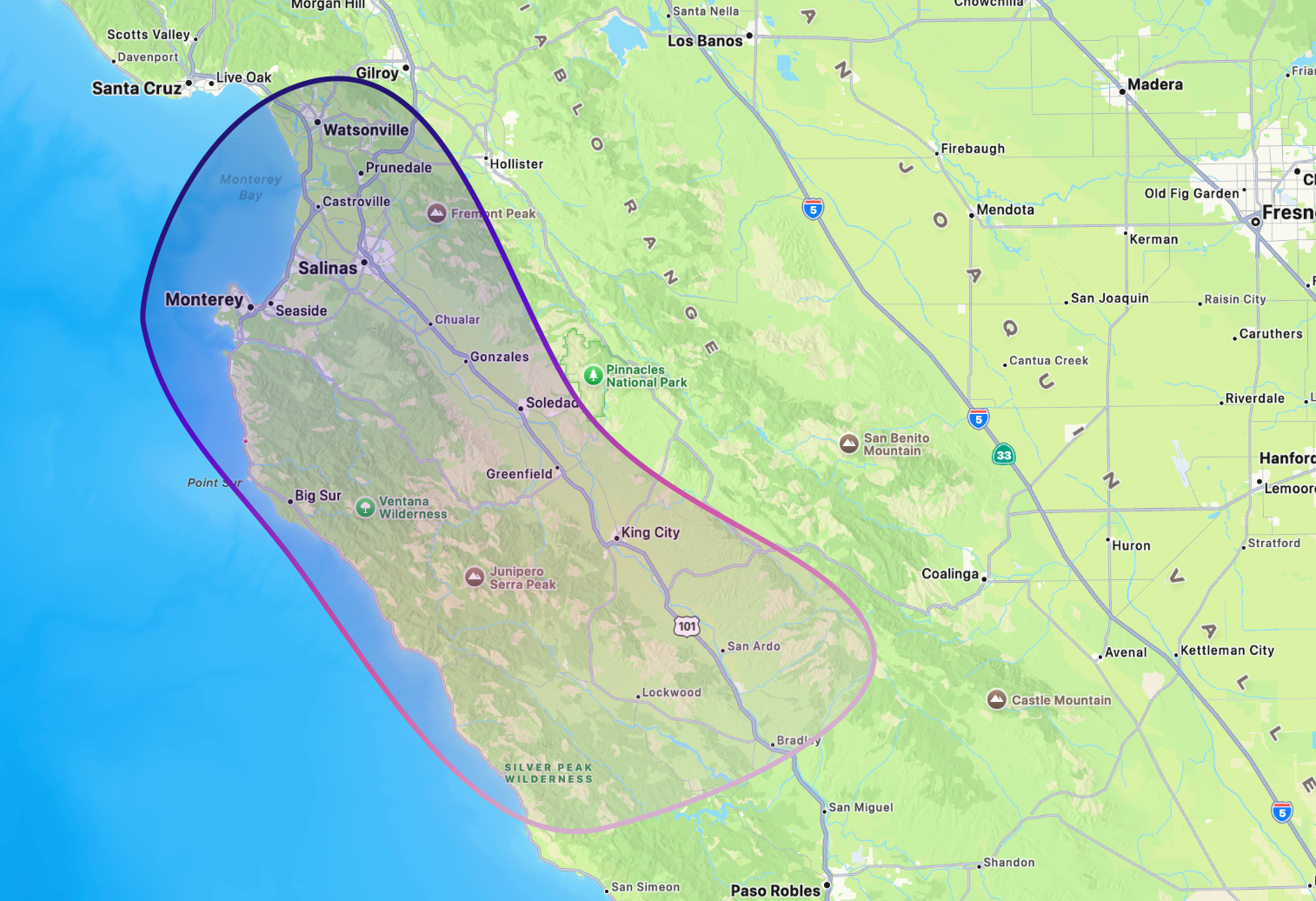
The outline above shows Monterey County, a 3,300-square-mile region known for its coastline, vineyards, and farmland. macOS Monterey was the first of Apple’s California releases not to feature a photographic wallpaper from its namesake location.
Still in the area of Big Sur, Monterey county encapsulates the rugged coastline Big Sur but also the inland hills and farmland.
However, this time Apple broke with tradition, opting not to include a photographic wallpaper or screensaver. Instead, the OS shipped with only a dynamic illustrated wallpaper and matching screensaver.
Monterey focused on bringing features to the Mac like Universal Control, which lets a single mouse and keyboard move seamlessly between a Mac and iPad. It also brought Shortcuts to the Mac, AirPlay to Mac, Focus modes, and SharePlay support in FaceTime.
“So what should we call it? Well, that brings us to the latest exploits of Apple's crack product marketing team. They've been absolutely riding high since their naming coup on M1 and M2, and needless to say, they were exhausted. But after their requisite three-month rejuvenation retreat in Monterey, with their chakras now in complete alignment, the team once again piled into their macOS naming microbus and wove their way down Highway 1. Chasing the vibrant display of colorful California wildflowers, they finally came to rest where stunning surf meets lush alluvial plains, in beautiful Ventura.”
Ventura (macOS 13)
Released: October 24, 2022

The main wallpaper for macOS 13 Ventura.
Location: Ventura County
Coordinates: 34.282°N, 119.293°W (of Ventura, California)
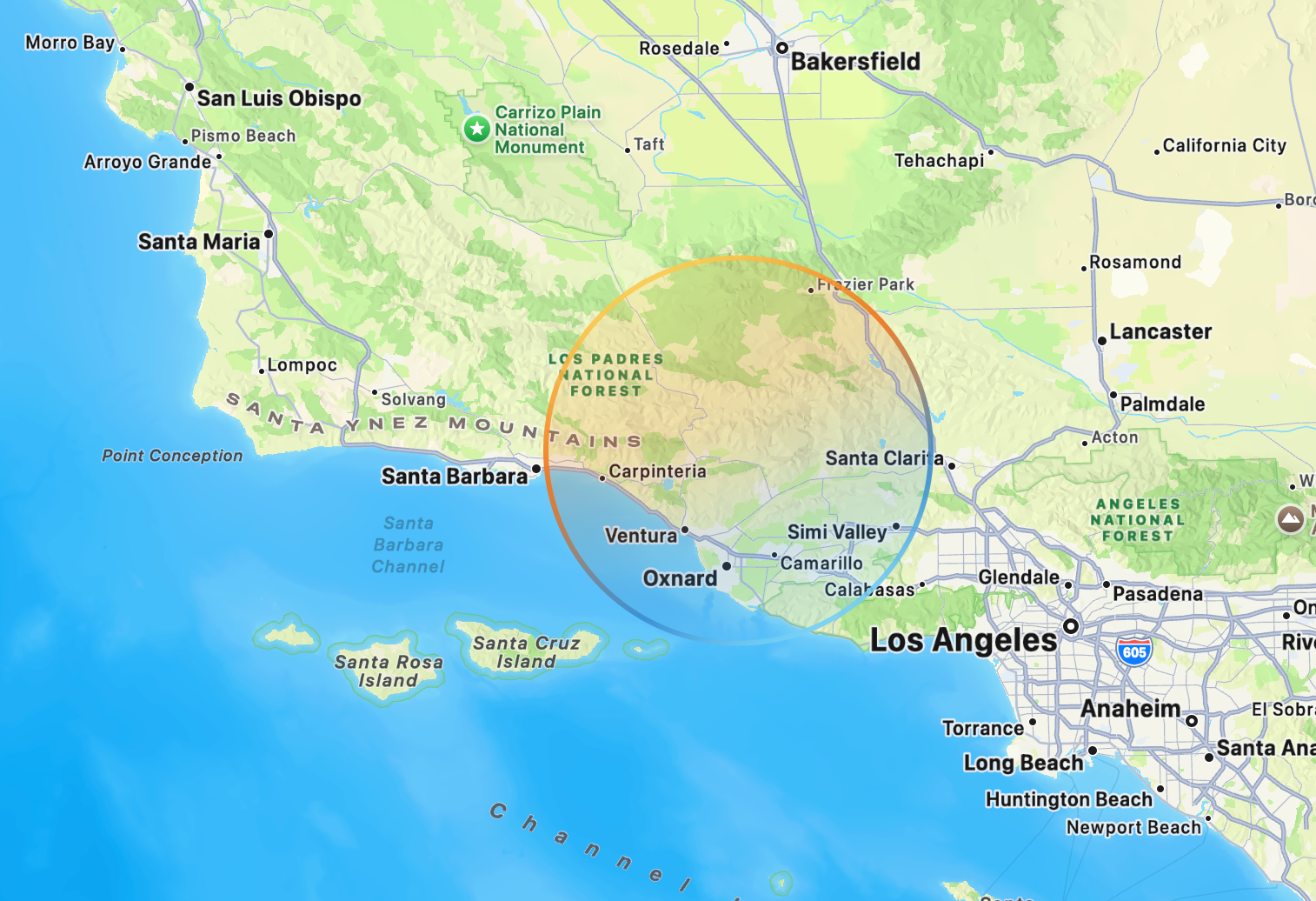
The outline above shows the general area of Ventura County, a 2,200-square-mile region along the southern coast of California known for its beaches, farmland, mountains, and proximity to the Channel Islands. Like macOS Monterey before it, macOS Ventura did not feature a photographic wallpaper from its namesake location.
Around 4.5 hours (281 mi/452 km) south of Monterey County we arrive in Ventura County, a diverse region of California known for its beaches, rugged hills, and fertile farmland.
Once again, however, Apple opted not to include a photographic wallpaper with the release. Instead, macOS Ventura shipped with only an illustrated, flower-like wallpaper and matching screensaver.
What was Ventura about? It introduced Stage Manager, a new way to organize and switch between apps and windows. It also added Continuity Camera, allowing an iPhone to serve as a Mac webcam, and provided updates to Mail, Messages, Safari, and perhaps most controversially, System Settings.
“Now, when it came to naming this release, we turned once again to Apple's legendary crack Product Marketing team. The instructions were simple and explicit: travel far and wide, leave no stone unturned. Well, as far as we can reconstruct, that search consisted of piling into their micro bus, punching the words "awesome vineyard" into Maps, and beelining straight to one of the most famous wine regions in the world, a place celebrated by the team perhaps a bit too much, and beloved by millions. Introducing macOS Sonoma, a big new release that will make your Mac more delightful and even more productive.”
Sonoma (macOS 14)
Released: September 26, 2023
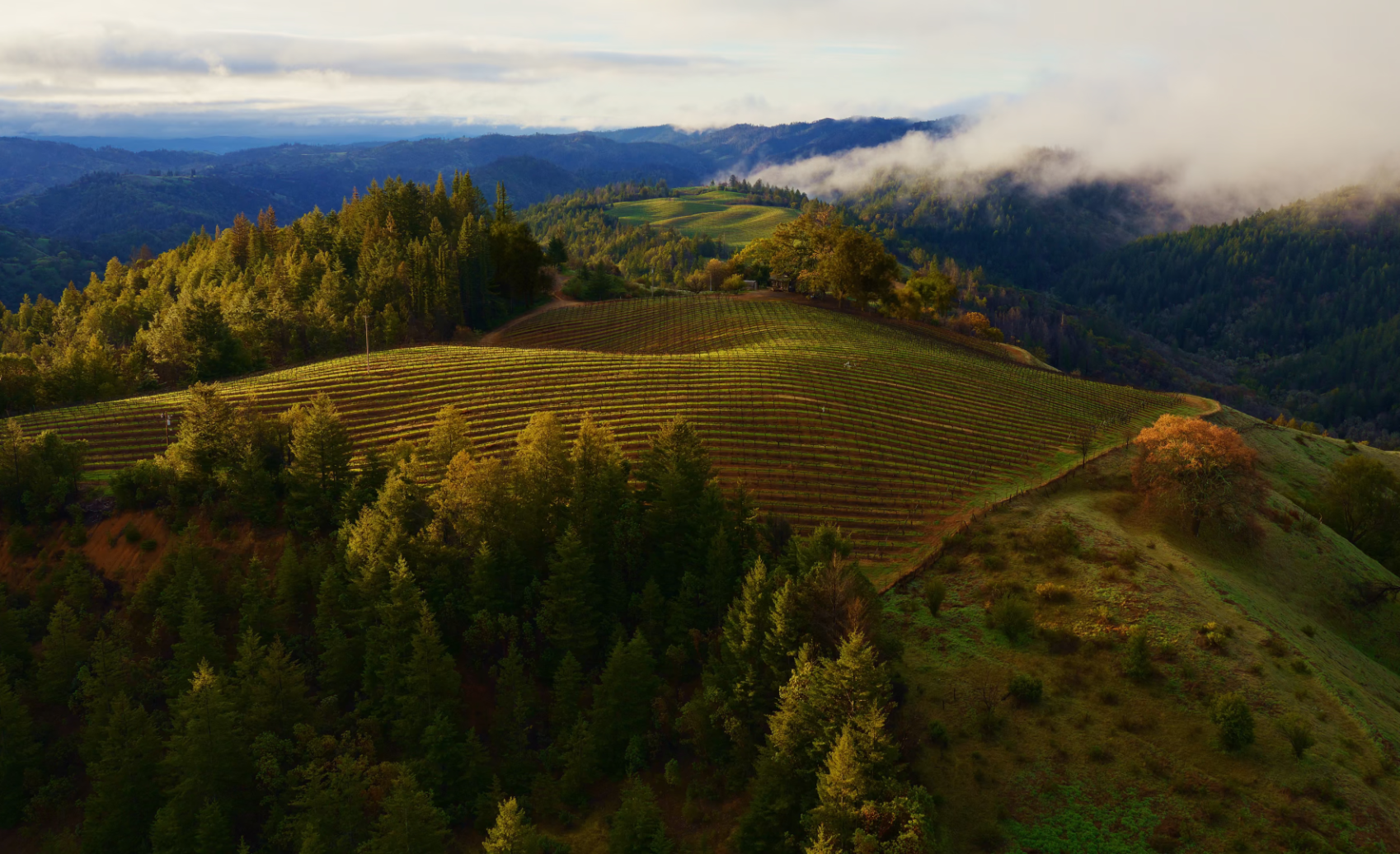
The main live aerial wallpaper for macOS 14 Sonoma.
Location: Likely Warm Springs Ranch in California
Coordinates: 38.670°N, 123.081°W
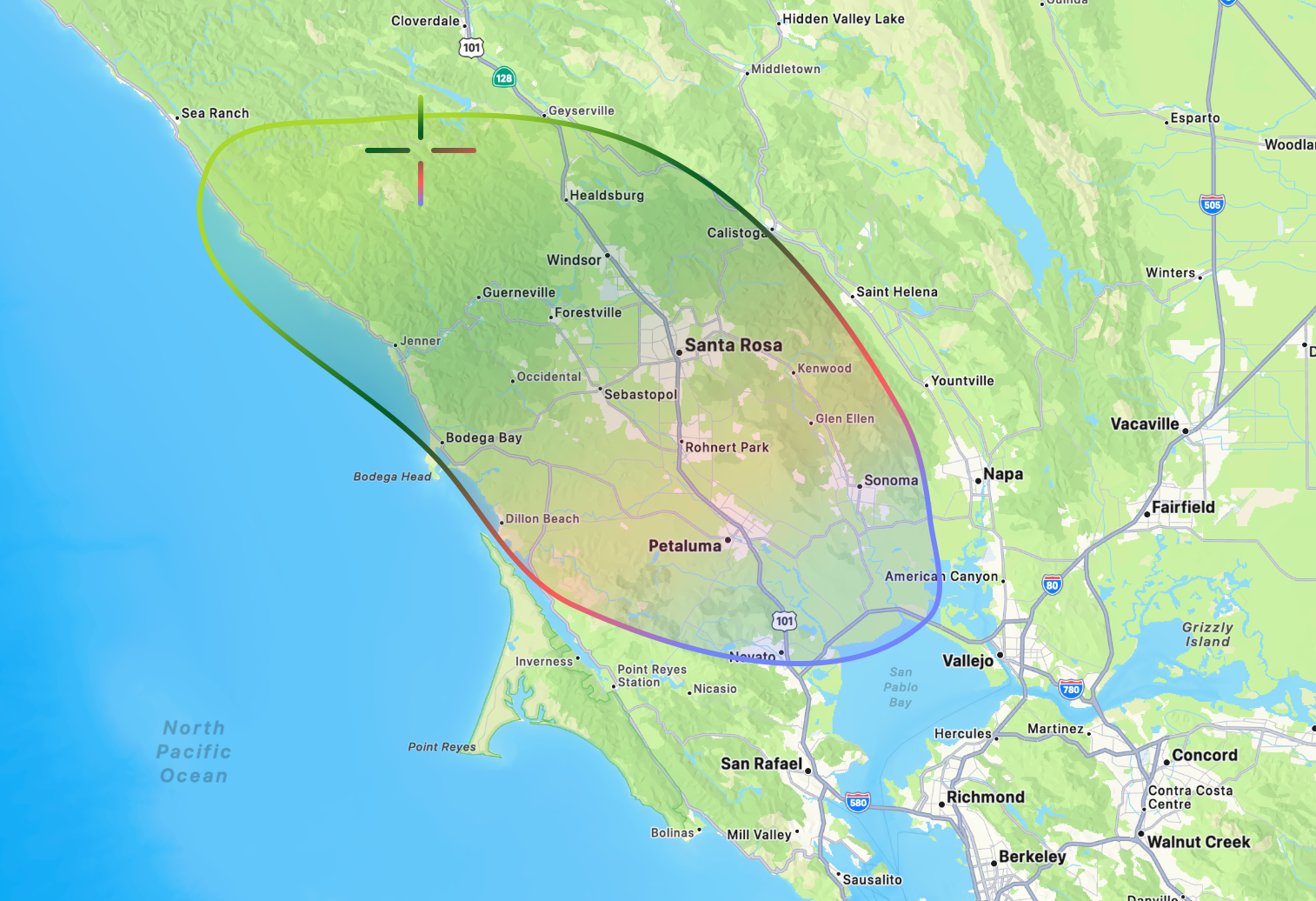
The outline above shows the general area of Sonoma County, a 1,800-square-mile region in Northern California known for its vineyards and rolling hills. The target marks what is most likely Warm Springs Ranch, the vineyard where Sonoma’s featured aerial wallpaper was photographed.
From Ventura county is a nearly 7.25 hour drive (465 mi/748 km) north to Sonoma, a area just north of San Francisco perhaps best known for it’s over 400 wineries dotted across it’s rolling hills.
After a two-year absence, Apple brought back photographic wallpapers to macOS, this time in the form of live Aerial screensavers that slowly come to rest after you log in. Many of these aerial videos first debuted on Apple TV before making their way to the Mac, but several were brand new, including Sonoma Horizon, one of the wallpapers Apple used to showcase macOS Sonoma at WWDC.
Sonoma Horizon was filmed on the property of the Mazzocco Sonoma winery, most likely at Warm Springs Ranch. According to Josh Post, who tracked down the location, the footage was most likely captured early in the morning, based on the low eastern sunlight illuminating the hills.
The release of macOS Sonoma brought interactive desktop widgets, aerial screen savers & wallpapers to the Mac, and Game Mode to improve gaming performance. It also introduced web apps in the Dock, enhanced video conferencing with Presenter Overlay and Reactions, and several updates to Safari that made everyday tasks faster and more convenient.
“But what should we call it? Well, that brings us once again to the annual escapades of our legendary crack marketing team. Distracted briefly from their marathon hacky sack session, they stumbled into their minibus and wove a trail toward the Sierras, eventually rolling to a stop in a beautiful national park. Staring skyward up the towering trunks surrounding them, they felt a deep kinship with anything that could get that high. They knew they'd found their spot. Welcome to macOS Sequoia.”
Sequoia (macOS 15)
Released: September 16, 2024
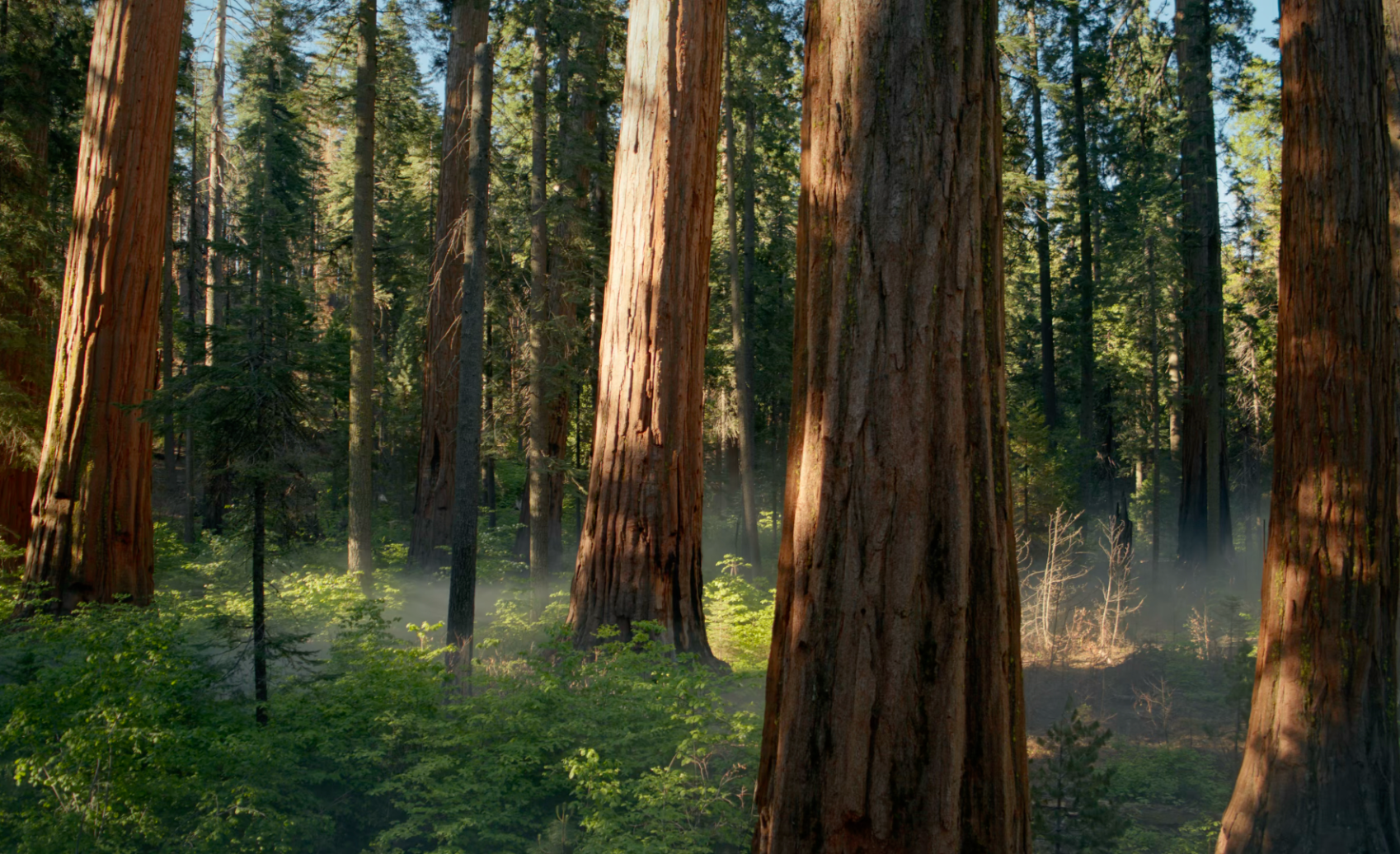
The main live wallpaper for macOS 15 Sequoia.
Location: Likely from Sequoia National Park/Forest, but the exact location of the grove featured is not known.
Coordinates: 36.479°N, 118.564°W (Sequoia National Park)
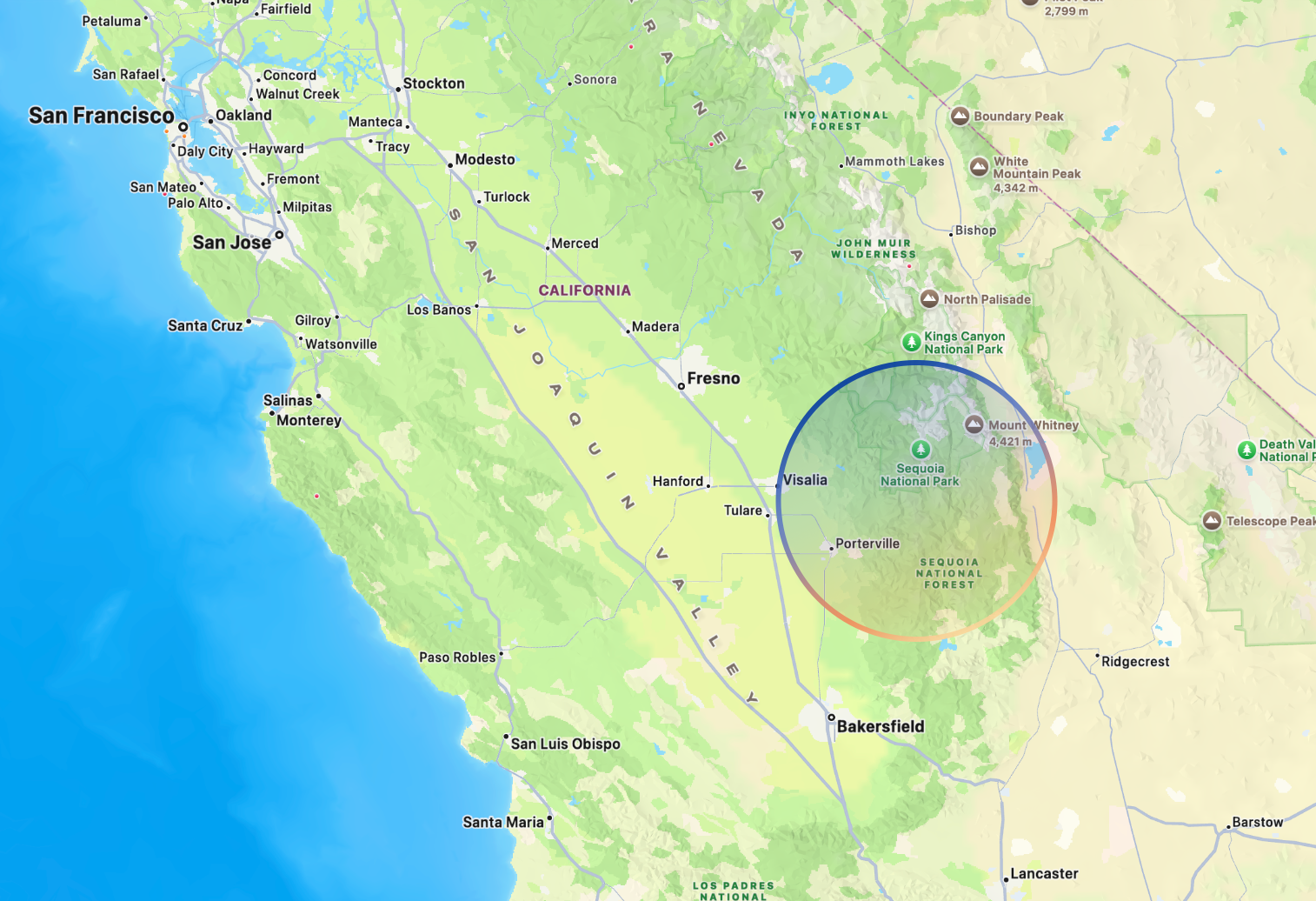
The outline above shows the general area of Sequoia National Park, a 630-square-mile region in California’s southern Sierra Nevada. Giant sequoias are found only in scattered groves along the western slopes of the Sierra Nevada, with some of the most famous stands located in and around Sequoia and Kings Canyon National Parks. The most likely location of macOS Sequoia’s wallpaper is somewhere in this general area, though the precise grove featured in Apple’s wallpaper is not known.
From Sonoma we once again head south through California, travelling nearly 7 hours (340 mi/547 km) until we arrive at Sequoia National Park.
Giant sequoias are among the largest trees on Earth and are found naturally only in scattered groves along the western slopes of California’s Sierra Nevada. Reaching 250-300 feet (75-90 m) tall and nearly 30 feet (9 m) in diameter, some of these trees can live for nearly 3,000 years.
However, despite receiving another aerial wallpaper featuring a sweeping pan through the forest, Apple has never publicly disclosed the exact location where the macOS Sequoia wallpaper was filmed. Given the trees’ limited natural range, it was almost certainly captured somewhere within the giant sequoia groves of the Sierra Nevada, but the precise location remains unknown.
The release of macOS Sequoia introduced iPhone Mirroring, allowing users to view and control their iPhone directly from their Mac, along with a new Passwords app, improved window tiling, and the first wave of Apple Intelligence features.
“But what should we call it? Well, our crack product marketing team was adamant that they’d fully earned their annual paycheck the moment they noticed that years end in two-digit numbers. But macOS demands more. Fortunately, after carving some bodacious tracks during one of their mandatory weekly Ski Strategy Sessions, they bumbled into their legendary microbus and let gravity guide them to a breathtaking spot where crystal clear waters meet majestic mountain peaks. They’d found it. Let me introduce you to macOS Tahoe.”
Tahoe (macOS 26)
Released: September 15, 2025
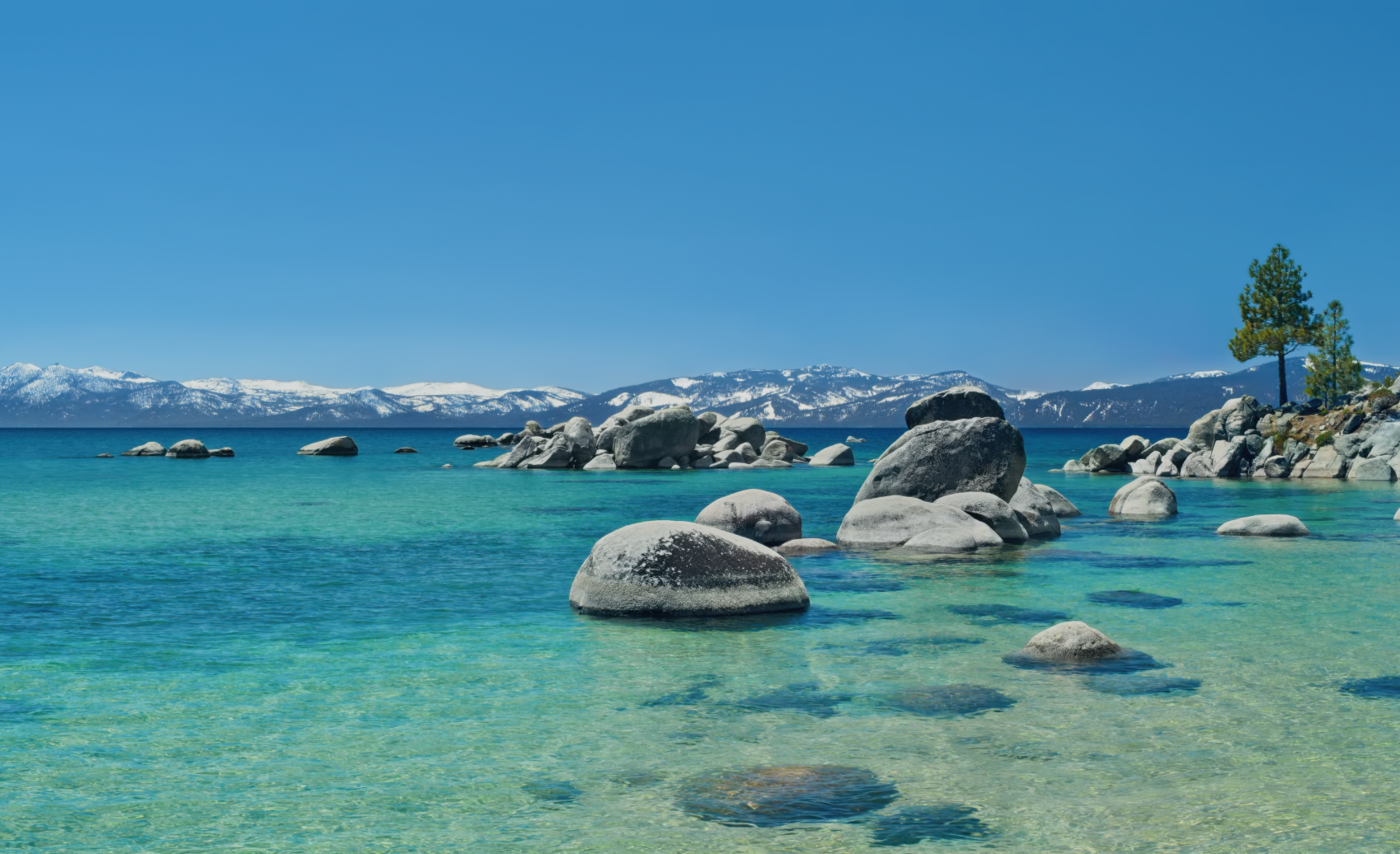
The main live wallpaper for macOS 26 Tahoe.
Location: Speedboat Beach, Lake Tahoe
Coordinates: 39.223°N, 120.009°W
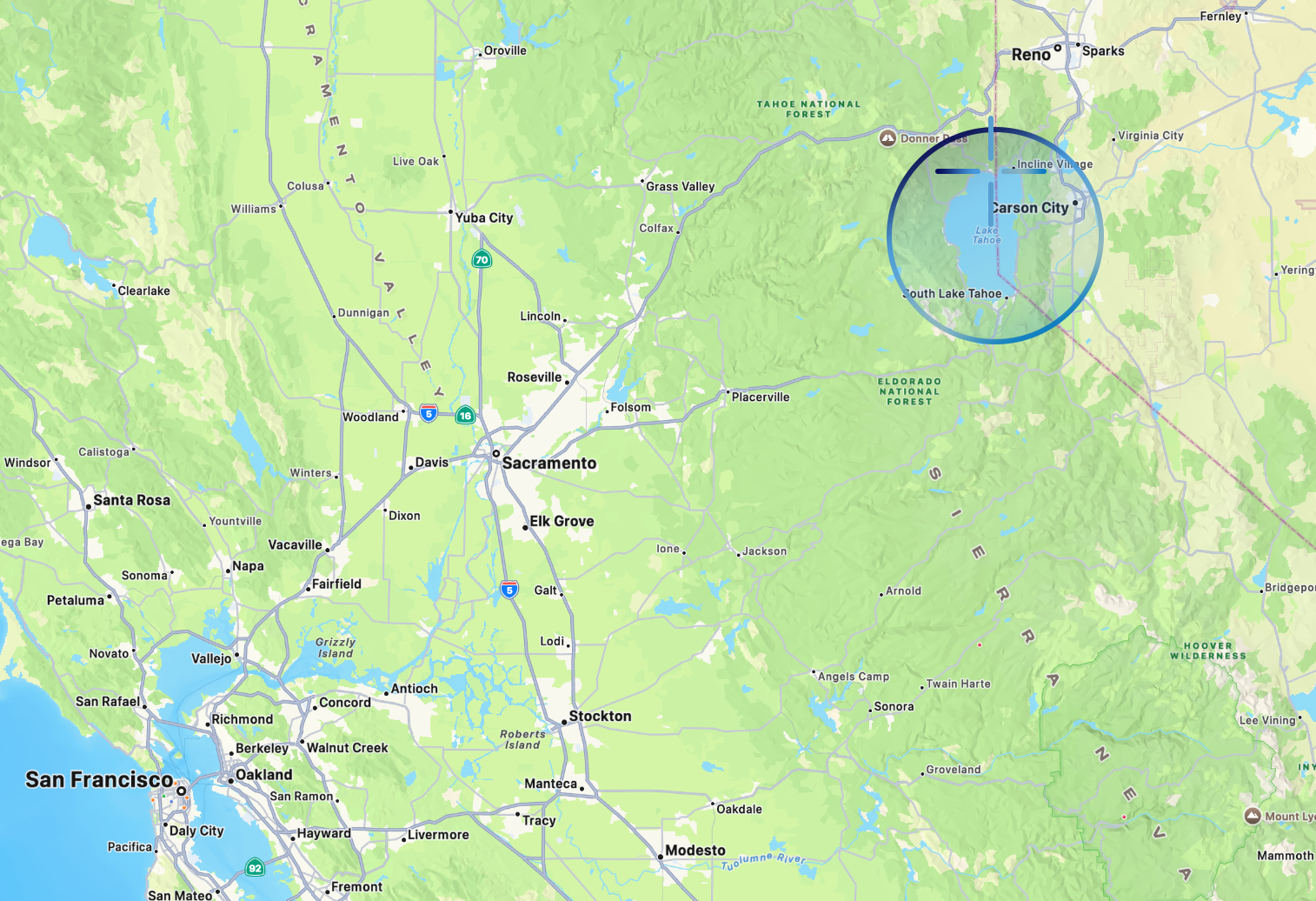
The outline above shows Lake Tahoe, a large alpine lake in the Sierra Nevada straddling the border of California and Nevada. The target marks Speedboat Beach, the location featured in Apple’s dynamic wallpaper for macOS Tahoe.
From Sequoia National Park we make our way north, travelling another 6.25 hours (363 mi / 584 km) to Lake Tahoe, an alpine lake that borders California and Nevada. Measuring 22 miles (35 km) long and 12 miles (19 km) wide, it is the largest alpine lake in North America and sits high in the Sierra Nevada at an elevation of 6,225 feet (1,897 m).
Known for having some of the clearest water on Earth, the macOS Tahoe wallpaper features a low-angle view across the lake, overlooking the granite boulders, two pine trees, and the Sierra Nevada mountains in the distance.
And those two pine trees are what gave one Redditor a clue about where on the lake the images for Tahoe came from. Using Google Maps, they were able to determine the location of the wallpaper as coming from Speedboat Beach, a quiet a secluded beach on the north end of Lake Tahoe.
As an operating system, macOS Tahoe introduced another major redesign to macOS, our third since we started this trip, with the arrival of Liquid Glass. It also expanded Continuity with iPhone Live Activities, overhauled Spotlight, and introduced further Apple Intelligence refinements throughout the platform.

Apple’s crack marketing team went on quite the adventure before eventually arriving at Golden Gate.
“Speaking of macOS, for those of you that are WWDC regulars, you of course know that this is the moment where I relay the latest exploits of Apple's crack marketing team, and their, shall we say, unconventional methods for naming macOS releases. In this case, I'm afraid the story is incomplete.
Last I saw them, they just spilled out of their recently installed Apple Park ‘experiential ideation yurt’ and piled into their microbus. I tried to catch them, but they just handed me this note out the window before motoring northward. So here's all I've got.
‘Dude, our chakra alignment has set our compass toward the summer of love. But like, further. Our corporeal forms know no earthly tether. We shall float on a span of gold over infinite seas, flying so high. Marketing is such a great job.’
Okay, well, I'm afraid they haven't returned and I'm lacking the sensory amplifiers to crack this code. So I guess the great era of macOS names must come to an end.
Joz: It's Golden Gate, man.
Oh thank goodness. Perfect. Our next version of macOS is macOS Golden Gate.”
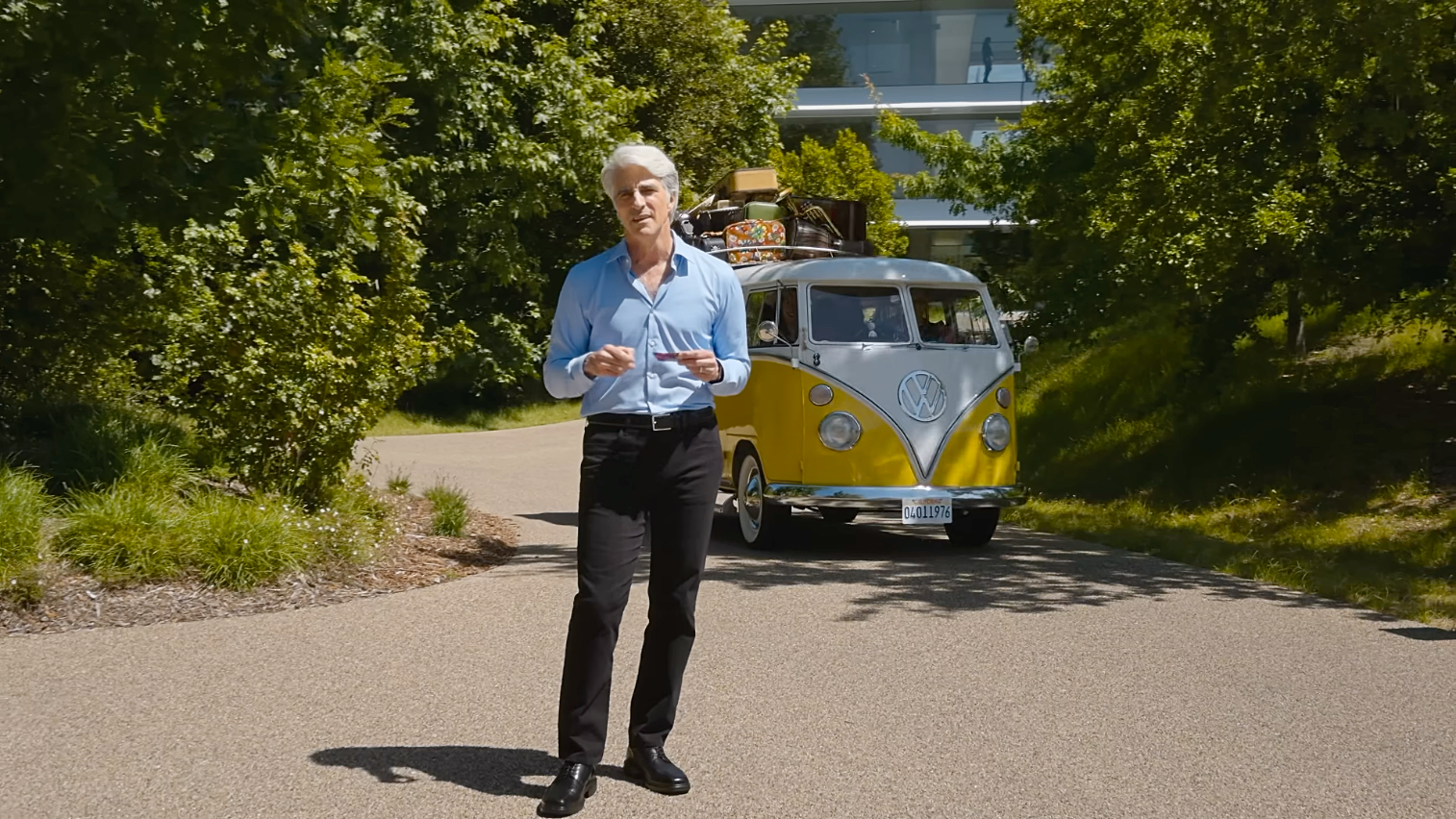
This also marks the first time we’ve actually caught a glimpse of the infamous VW Minibus that Craig Federighi’s crack marketing team has apparently been travelling around California in for the past decade and a half.
Golden Gate (macOS 27)
Released: Fall, 2026

As of macOS 27 Beta 2, this is the default wallpaper for macOS Golden Gate.
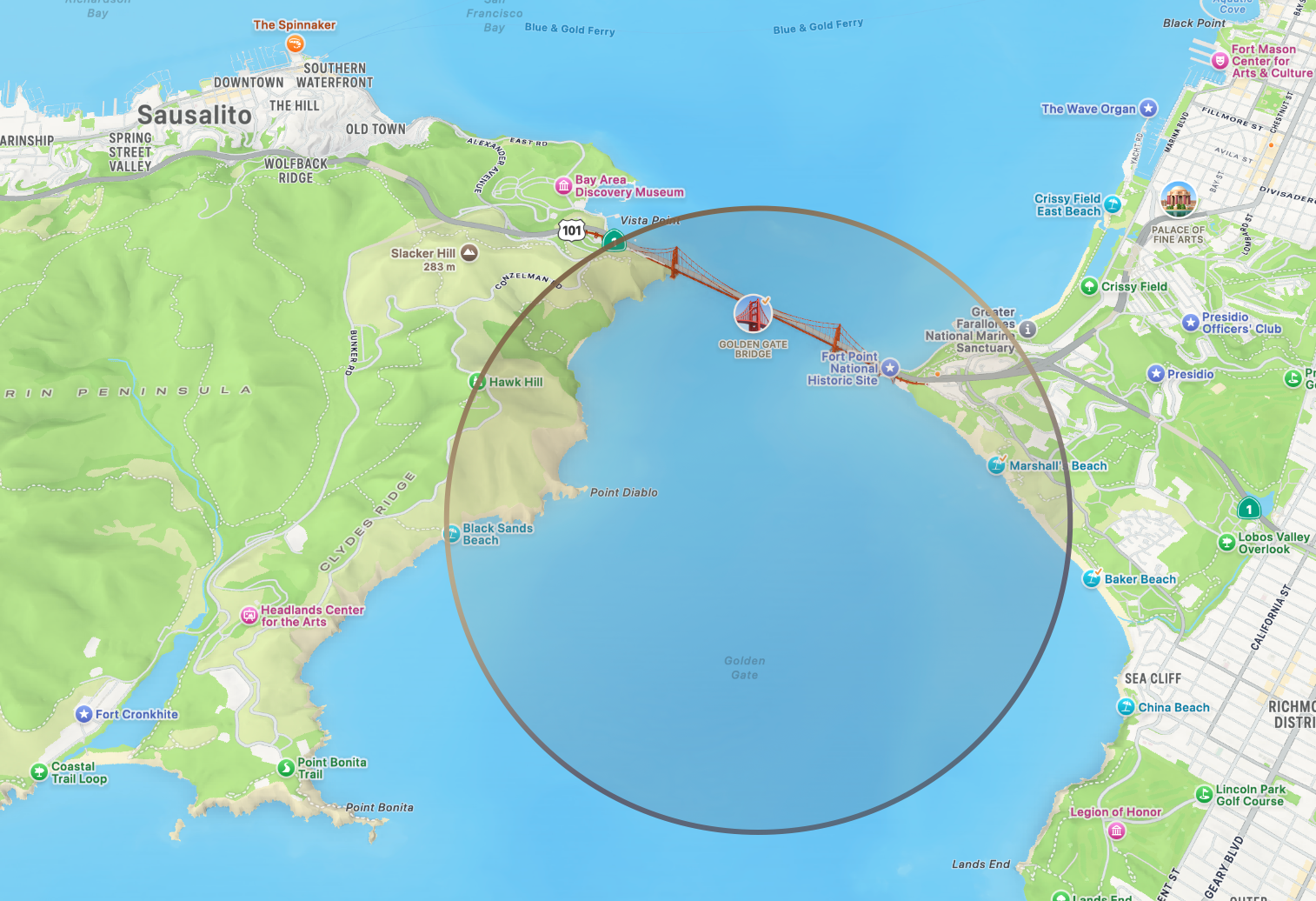
The outline above shows Golden Gate, a narrow strait that connects the San Francisco Bay to the Pacific. The area is perhaps most famously know for the Golden Gate Bridge and Karl the Fog, the dense coastal fog that funnels through the strait.
Location: Golden Gate, San Francisco
Coordinates: 37.820°N, 122.479°W
The last stop takes us from the eastern edge of California back down south on a 3.5 hour (205 mi/330 km) trek to the gateway of the San Francisco Bay.
And spanning the Golden Gate Strait, this area is perhaps most famously known for the Golden Gate Bridge, a 1.7 mi (2.7 km) bridge built in the late 30s between San Francisco and Sausalito.
As of Beta 2 (June 24, 2026), Apple has yet to release a photographic wallpaper for macOS Golden Gate, instead opting for a unified abstract wallpaper shared across iOS, iPadOS, and macOS. However, there's absolutely no shortage of iconic photos of the Golden Gate Bridge, and I also released a couple variations from screen grabs during the keynote and a wallpaper I generated.
macOS Golden Gate was announced at WWDC26 and features a refinement of Liquid Glass, significant performance enhancements across the operating system, child protection features, and a significant teardown and rearchitecting of Apple Intelligence.
In Sum
And with that, our journey across California comes to an end, having followed Apple’s wallpapers from crashing waves and granite peaks to vineyards, giant sequoias, alpine lakes, and finally the Golden Gate. Over the course of 14 macOS releases, we’ve zigzagged across the state, covering nearly 3,000 miles (4,700 km) through 55 hours of driving, 44 miles on a ferry, a dozen miles of hiking, and even a helicopter ride along the way.
If this is the end of Apple’s California era, I’ll be a little sad to see it go. Putting this entry together has been a lot of fun and taught me far more about California’s landscapes, geography, and diversity than I ever expected. It’s been a wonderful excuse to follow along with one of my favourite traditions in macOS history.
One more thing…
If you're interested in a more interactive version of this California tour, app developer Baptiste Dajon has included a map of all the OS releases in his application 9:41 that chronicles a host of Apple hardware history. Definitely worth checking out and worth your support if you're interested.